
Leave Your Message

Blog

Top 10 Types of Data Center Racks for Buyers

Top 10 Types of Data Center Racks for Buyers

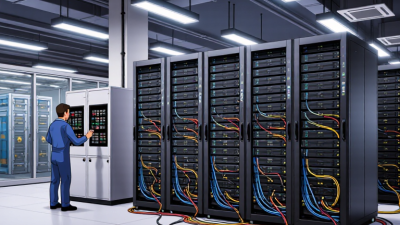
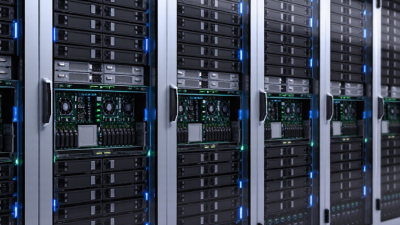
You know, a Data Center Rack is way more than just a metal frame. It's the backbone of how you install, cool, power, secure, and service all your gear. The thing is, a rack that looks perfectly fine on a blueprint can totally mess with cable access, airflow, and even your plans for future expansion. And here's the kicker: there's no such thing as the 'best' rack out there. What works for you really depends on your room, your hardware, and the folks who have to keep it all running. So, get this—the International Energy Agency's latest Electricity 2024 report found that data centers gobbled up about 460 terawatt-hours of electricity back in 2022. And that number? It's projected to skyrocket to anywhere between 620 and 1,050 terawatt-hours by 2026. Now, these stats are about the facilities themselves, not just rack sales, but you see why we really need to think twice about how we handle space and cooling, right? So there's this guy Ken Brill – he founded the Uptime Institute – and he's the one who kinda coined the phrase, 'The data center is the factory of the 21st century.' And honestly, that comparison really works. Like, think about it: the racks aren't just sitting there storing stuff – they're part of the actual working machinery, you know? So it's not just a catchy saying, it's actually pretty accurate. Alright, so we’re going to look at ten common rack types—everything from open-frame setups to fully enclosed cabinets and high-density options. Each one really is built with a different set of constraints in mind. A two-post rack, for instance, makes life easier when you’re working with network gear, but if you’ve got bigger servers and a mess of cable runs, a deep cabinet is probably going to serve you better. And here’s the thing: the little details—door clearance, rail depth, load capacity, airflow—are super easy to gloss over. But specs can only tell you so much. You can pick a rack that looks perfect on paper and still end up with your technicians muttering under their breath during installation. So, treat those comparisons as just a starting point—then go ahead and verify the dimensions and requirements against your actual gear and the site conditions you're dealing with.
Read more »
Sophia By:Sophia - November 9, 2026
How to Choose the Right Edge Data Center for Your Business

How to Choose the Right Edge Data Center for Your Business

An Edge Data Center can put your applications right next to the people and systems that need them—customers, factories, connected devices. And that distance? It matters. A few milliseconds can decide whether a video call flows smoothly, a payment goes through without a hitch, or a machine alert gets noticed in time. But here's the thing: being close alone doesn't automatically make a site the right fit. So, IDC’s latest edge spending report reckons global spending on edge computing hit around $232 billion in 2024—which makes sense, honestly, given how much companies are pouring into distributed infrastructure. And funnily enough, this matches up with what Gartner predicted back in 2018: they said that by 2025, something like 75% of the data enterprises generate would be handled outside traditional data centers or the cloud. Looks like they were onto something. Gartner's Bob Gill — he's a research VP — described the shift like this: “By 2025, 75% of enterprise-generated data will be created and processed outside the traditional centralized data center or cloud.” Of course, that was just a forecast, not a hard-and-fast buying rule. And honestly, that deadline has come and gone. So think of it as a sign of where things are heading, not proof that every business needs to go build a shiny new facility. Look, picking a good location isn't just about finding a dot on a map. You've got to consider things like user latency, power availability, cooling, network routes, physical security, service-level commitments, and whether there's room to grow. Picture a retail site during a huge sale—having reliable power and a second network path can matter way more than a provider bragging about broad coverage. Ask for proof: measured latency, outage records, clear maintenance procedures. Then test those claims against your own workloads to see if they actually hold up. Honestly, there’s no such thing as a perfect site. Sure, a remote location might give you great latency, but it can also make support a real headache. In this guide, we’ll walk you through comparing providers, sizing up locations, and finding an edge data center that actually fits your business needs.
Read more »
Sophia By:Sophia - November 5, 2026
What Is the Best Mini PC Computer for 2026?

What Is the Best Mini PC Computer for 2026?

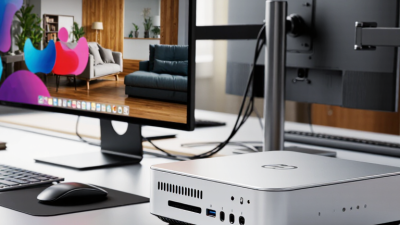
Alright, picking the best mini PC for 2026 isn't just about comparing processor specs. Honestly, it comes down to what you're actually planning to do with it, where it's going to sit, and how much fan noise you can put up with. An office machine has totally different needs than a small workstation or a media hub tucked under the TV. And yeah, size matters—but so does heat. You know that famous Steve Jobs line? “Design is not just what it looks like and feels like. Design is how it works.” It’s a pretty solid principle, and honestly, it applies perfectly to something like a Computer Mini Pc. Sure, a sleek metal shell might catch your eye, but what really matters day to day is whether it keeps performing, has the ports you actually need, lets you upgrade, and doesn’t sound like a jet engine. Let’s be real: when you’re comparing options, the spec sheet only tells part of the story. So in this guide, we’re weighing things like processor performance, memory, storage, connectivity, power use, warranty support, and price—you know, the stuff that actually matters. But we’ll also separate what manufacturers claim from what independent tests show, because peak speeds on paper don’t always hold up under real workloads. And the little things count too: an extra display connection, a USB port you can actually reach, or a fan that doesn’t sound like a jet engine during a video call. Honestly, there’s no single Mini PC that’s perfect for everyone. You can make the most careful checklist and still miss something—like how one person’s quiet, tidy desk setup is another person’s claustrophobic nightmare. The picks below are meant to match real tasks, not just chase whatever new chip just dropped. So please read the trade-offs closely. Like, actually read them. That part really matters.
Read more »
Amelia By:Amelia - November 2, 2026
What Is Data Center Networking and How Does It Work?

What Is Data Center Networking and How Does It Work?

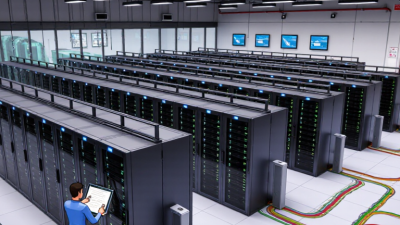
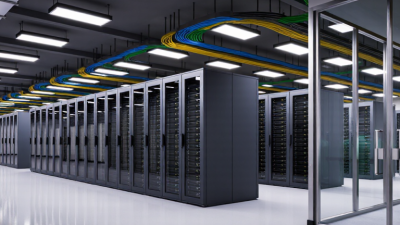
So, data center networking? Honestly, it's the glue that holds the entire digital world together—kind of like the nervous system for modern computing. It connects servers, storage systems, cloud platforms, security tools, and, you know, all of us users. Inside a data center, switches are constantly shuffling traffic between machines, while routers handle the links to external networks and services. And then you've got network interface cards, optical cables, and software controllers to tie up the whole path. It's not flashy, but without it, nothing would work. You know, the goal here is for all this to feel invisible. But that's easier said than done. So you've got traffic moving east-west, which basically means between servers that are working together on the same app. Then there's north-south traffic, which is the stuff going in and out of the data center to users out there. To keep both flowing smoothly, we rely on things like high-speed Ethernet, leaf-and-spine setups, and software-defined networking. And of course, you need redundant links so that if a cable breaks or a switch fails or power goes out, services stay up. Segmentation helps too, so that you don't expose more than necessary. But even with all that, a small misconfiguration can still cause trouble and spread quickly. So it's not exactly a walk in the park. So, you've probably seen some industry reports about why this whole discipline is a big deal. For instance, Cisco's 2024 AI Readiness Index – yeah, that one – found that only a measly 14% of the companies they surveyed were actually fully ready for AI workloads. That's a tiny fraction, right? And almost everyone else said they're feeling the pressure to ramp up, like urgency is through the roof. Here's the thing: AI systems aren't just your average network traffic. They can generate these intense, synchronized bursts of data between compute nodes that are pretty wild. If your network design isn't solid, you're looking at some serious bottlenecks that'll cost you a fortune, long before your processors even get a chance to show what they've got. So, the Uptime Institute's 2024 survey on data centers really drives home how outages can hit the wallet hard—some of those incidents cost millions. But here's the thing: the numbers aren't the same for everyone, so you can't just take them at face value. You've got to dig into what they mean for your own setup. And yeah, that's a bit of an uncomfortable truth to sit with. Look, here's the thing about building a solid Data Center Networking strategy—it's not just about the big picture. You've gotta juggle capacity planning, automation, observability, and actually tested recovery procedures. Engineers like me are constantly monitoring latency, packet loss, throughput, and utilization, but that's only half the story. We also dig into real failure scenarios, not just the ones that look good on paper. Honestly, no architecture is perfect, and pretending otherwise is just asking for trouble. What really keeps things running is repeated testing, having clear ownership, and being honest about the evidence—that's where practical resilience comes from.
Read more »
Sophia By:Sophia - October 28, 2026
How to Choose China Best Data Center Tier Suppliers?

How to Choose China Best Data Center Tier Suppliers?

When you're choosing the best Data Center Tier suppliers in China, it’s not just about flipping through brochures, comparing logos, or trusting whatever uptime numbers they advertise. You’ve really got to dig into the design evidence, their operational track record, certification status, and whether they can actually support you over the long haul. Kenneth G. Brill—he founded the Uptime Institute—once called data centers “the factories of the 21st century.” And honestly? That idea still holds up. A data center isn’t just some building. It’s what keeps apps running, transactions moving, people connected, and businesses up and running when things go sideways. So this guide is all about checking suppliers against the stuff that actually matters. We're talking Tier certification, power redundancy, cooling design, network diversity, fire protection, monitoring, and maintenance procedures. You'll want to see solid proof of N+1 or 2N architecture, backup generators that have actually been tested, and recovery drills that are properly documented. And definitely read those SLAs closely. A quick response time sounds great and all, but what you really need to know is how they perform when something breaks at 3 a.m. Honestly, it's worth checking with China Telecom, GDS Services, Chindata Group—or maybe another provider—to see if they can support the region, industry, and deployment model you're after. Honestly? No shortlist is ever perfect. A low-cost proposal can look tempting, but it might hide a pile of expensive integration work. And a big-name provider? They may still offer pretty limited support in a specific city. Marketing language doesn't help either—it can blur the line between a Tier-certified facility and a supplier that just has some general data center experience. That distinction matters. So instead of leaning on reputation alone, we'll compare public records, technical documents, customer references, and what's actually happening on-site. Look, some evidence might still be incomplete. And honestly, that's a limitation worth owning up to. If you want procurement you can actually rely on, you've got to ask tougher questions, check whether claims really hold up, and make sure infrastructure risk lines up with what the business actually needs.
Read more »
Sophia By:Sophia - October 24, 2026
10 Tips for Choosing the Best Wall Mount Server Rack

10 Tips for Choosing the Best Wall Mount Server Rack

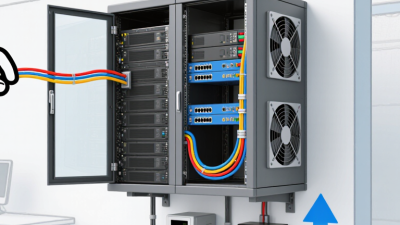
Choosing a Wall Mount Server Rack is a practical infrastructure decision, not a simple buying exercise. A compact cabinet may fit a narrow office wall, yet still fail under cable weight, heat, or future expansion. The right choice must balance rack units, depth, load capacity, airflow, security, and service access. Uptime Institute’s Global Data Center Survey has repeatedly shown that power and cooling remain major operational concerns. Its 2023 findings reported that 54% of respondents experienced an outage costing more than $100,000. That figure deserves attention, even for small IT rooms. ASHRAE TC 9.9 guidance also recommends controlled equipment inlet temperatures, commonly between 18°C and 27°C. A locked cabinet with poor airflow is not a solution. Neil Rasmussen, founder of APC, has often emphasized, “The data center is a system, not a collection of individual products.” That principle applies directly to every Wall Mount Server Rack. The cabinet, UPS, patch panel, switches, ventilation, and cable routes must work together. A rack can look excellent and still create maintenance problems six months later. This happens more often than buyers expect. These ten tips focus on measurable details. Check the usable depth before ordering servers. Confirm the wall structure before loading the cabinet. Leave room for hands, cables, and replacement hardware. Consider fan noise in occupied spaces. Avoid choosing only by price. That shortcut is tempting, but it can become expensive. A careful comparison may reveal that the “best” Wall Mount Server Rack is not the largest model, but the one that supports safe operation and realistic growth.
Read more »
Amelia By:Amelia - October 20, 2026
How to Choose the Best VPS Cloud Server?

How to Choose the Best VPS Cloud Server?

Picking the best VPS Server Cloud isn’t just about comparing monthly prices. You really need to know your workload, your own technical comfort level, traffic patterns, and where you want to go next. A small online store might run fine on two CPU cores, 4 GB RAM, and fast SSD storage. A growing app, though, may need stronger isolation, regional availability, and automatic scaling. In the end, the right pick comes down to evidence—not flashy ads. Reliable providers like DigitalOcean, Vultr, Hetzner, and Amazon Web Services all bring different strengths to the table. Their control panels, backup systems, network performance, and support quality can vary quite a bit. When you test them in real life, check server response times from where your main visitors actually are. Look at uptime records, data center locations, firewall controls, and recovery procedures. And remember: a cheap plan can get expensive once backups, licenses, monitoring, and bandwidth charges show up later. Small details matter. You should also think about who’s going to handle updates, security patches, and performance tuning. Experienced users might prefer flexible Linux setups, while beginners may want guided tools and support that answers quickly. Independent reviews can help, sure, but they shouldn’t replace your own testing. Results can shift by region, season, and workload. I’ve seen a server run smoothly during quiet hours, then slow down under unexpected traffic. That possibility deserves honest attention. This guide walks through the key factors, compares practical options, and helps you choose a VPS Server Cloud plan with more confidence and fewer costly surprises.
Read more »
Sophia By:Sophia - October 15, 2026
How to Choose the Best Data Center Power Supplier?

How to Choose the Best Data Center Power Supplier?

So, picking the best Data Center Power supplier? It’s not just about who has the cheapest electricity rate. That’s only one piece. A partner you can actually rely on needs to understand uptime, load growth, cooling demand, and emergency response. And honestly, a server room can seem pretty quiet, but every rack is pulling steady power around the clock. Miss a small planning detail and you’re looking at a very expensive outage. Experienced operators don’t just glance at the spec sheet. They dig into power quality, redundancy, maintenance procedures, and delivery history. They want to know: does the supplier support N+1 or 2N designs? What about transformer capacity, generator coordination, battery systems, and renewable options? Big names like Schneider Electric, Eaton, and Vertiv are useful industry references, sure—but brand recognition by itself doesn’t prove much. Independent audits, real customer feedback, and verified service-level agreements usually matter more. Ask for hard evidence. Check outage history, response times, technician qualifications, and testing schedules. Make sure they comply with the electrical codes and standards that apply, including ISO 9001 processes where that’s relevant. A solid supplier should lay out costs clearly—installation, monitoring, fuel, repairs, future expansion, all of it. And they should point out risks instead of sweeping them under the rug. That’s what builds trust. No supplier is perfect. Even a well-designed facility can run into grid instability, delayed parts, or unexpected demand. That’s easy to forget when you’re reading a shiny proposal. A practical evaluation should include failure scenarios, not just best-case forecasts. If you can, visit an operating site. Look at cable labeling, alarm dashboards, spare equipment, and maintenance records. The right Data Center Power partner brings technical depth, transparent communication, and dependable execution. Their promises should hold up in the real world—not just in a polished sales presentation.
Read more »
Amelia By:Amelia - October 12, 2026
China Top 10 Data Center Server Manufacturers?

China Top 10 Data Center Server Manufacturers?

So, China’s data center business isn’t just about domestic infrastructure anymore. It has grown into global cloud, telecom, and enterprise deployments. This guide takes a look at ten Data Center Server manufacturers based in China—names that actually shape the market. We weigh things like engineering skills, how broad their product lines are, service coverage, and whether there’s documented market presence. The list includes Lenovo, Huawei, Inspur, H3C, Sugon, ZTE, xFusion, PowerLeader, Foxconn Industrial Internet, and UniServer. Each one designs servers a bit differently. Some stick to general-purpose computing. Others lean hard into AI, edge computing, storage, or high-density deployment. You’ll also see support for liquid cooling, newer processors, remote management, and flexible Data Center Server Rack setups. But claims? They need careful checking. Our comparison pulls from public product specs, certification info, warranty terms, channel availability, and reported customer applications. When possible, we also look at operating temperature ranges, power efficiency, expansion options, and technical support. Those details really matter when a rack is running nonstop under heavy workloads. A shiny brochure doesn’t always tell you how things hold up in the field long-term. Some public specs are still incomplete, and service quality can vary by region. That’s a limitation worth paying attention to. No ranking is perfectly neutral, honestly. So before you buy, verify current models, compliance requirements, delivery schedules, and after-sales resources. Think of this intro as a practical starting point—not a replacement for your own independent testing.
Read more »
Sophia By:Sophia - October 7, 2026
10 Best Mini Server Racks for Home and Office?

10 Best Mini Server Racks for Home and Office?

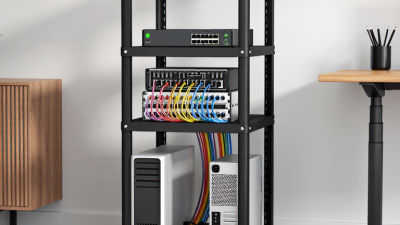
These days, home networks are basically turning into little digital hubs. I mean, you might walk into a single room and find a NAS, a router, a switch, a security gateway, a UPS, and a smart home controller all crammed together. It's pretty nuts how much gear we’re packing into our living spaces. According to Cisco’s Annual Internet Report, there’ll be about 29.3 billion devices connected worldwide by 2023. No wonder homes and offices are feeling the heat—literally and figuratively—trying to keep all this stuff running smoothly. That's where a good Mini Server Rack comes in. It can turn a jumble of hardware into a cleaner, quieter, more manageable setup. In this guide, I’ve rounded up ten different Mini Server Racks perfect for home use or small offices. We’ll look at things like compatibility with 19-inch gear, how deep they are, ventilation, cable access, noise levels, weight capacity, locking options, and how flexible they are to install. Honestly, these details matter way more than just looking at shiny photos online. The ASHRAE Technical Committee 9.9 is all about keeping your electronics cool and stable, and the Uptime Institute’s Global Data Center Survey keeps reminding us that power stability, cooling, and operations discipline are key to reliability. Even small racks have these concerns—they just tend to hide them better. Of course, there are trade-offs. A compact wall-mounted cabinet can save you floor space but might restrict airflow or limit future expansion. Rolling racks are super handy for easy access, but they might wiggle around a bit, putting strain on cables. And some racks, while they look super professional, might skimp on ventilation, which can be a big problem if you’re not careful. These are things to watch out for. We based our picks on manufacturer specs, hands-on installation experience, and feedback from real users. But let’s be honest—no single rack will be perfect for every situation. Home offices usually need quieter options, whereas small businesses might need more security or higher weight capacity. Also, keep in mind that sizes can vary a lot across brands, so make sure to double-check your gear’s depth before you buy. We’re trying to give you a helpful overview, not a one-size-fits-all ranking. Even if you choose what seems like the perfect rack, ignoring ventilation, power backup, or proper cable planning can still lead to disappointment.
Read more »
Sophia By:Sophia - October 2, 2026
What Are the Top Types of Rack Mount Servers?

What Are the Top Types of Rack Mount Servers?

Choosing a Rack Mount Server isn’t just about picking the biggest or most powerful machine out there. It’s really more about matching the hardware to what you actually need to get done. For example, a small 1U model can save you some rack space and is pretty good for regular web or app tasks. On the other hand, a 2U chassis usually offers more room for drives, memory, or expansion cards if you need more power or flexibility. Then there are larger 4U systems, which are great if you’re dealing with heavy storage needs or want to set up some specialized accelerators. Just keep in mind—they take up more room and might need some careful planning for power and cooling. Little details really do matter here—stuff like a cramped rack, warm exhaust, or tricky cable access can turn what seems like a perfect setup into a real hassle. Legendary computer scientist Andrew S. Tanenbaum once joked, “The nice thing about standards is that you have so many to choose from.” When you’re comparing server sizes, compatibility, or how you’ll deploy them, that’s actually pretty relevant. Some of the main types of rack servers include general-purpose models, storage-optimized units, GPU-accelerated servers, and high-density configurations. Each one strikes a different balance between processing power, capacity, and expansion options. But don’t just look at the specs alone—make sure to think about your workload needs, rack depth, airflow, how easy it’ll be to service, and where you might want to grow in the future. Sometimes, the tiniest detail gets missed. Even experienced teams tend to focus on processor speed and overlook stuff like noise levels or maintenance clearance—that’s worth a second look. In this guide, I’ll break down the main server types and show where each one fits best, so you can make a smarter choice without assuming that one chassis is the perfect fit for every data center out there.
Read more »
Sophia By:Sophia - September 28, 2026
What Is the Best Rack Mount Server in 2026?

What Is the Best Rack Mount Server in 2026?

Picking out the best Rack Mount Server in 2026 really comes down to understanding what you need it to do. For instance, a compact 1U server can slide neatly into tight racks, but if you need more space for storage, extra cards, or better cooling, a 2U chassis might be the way to go. Honestly, neither size is a clear winner on its own. The right pick depends on your workload, power constraints, how much maintenance you'll need, and how deep your rack actually is. Linus Torvalds, a pretty renowned systems-software guy, has a good piece of advice: “Talk is cheap. Show me the code.” Basically, for server shopping, don’t just go by shiny specs or a sleek product page. Ask for real-world benchmark results, tailored to your workload. Pay attention to sustained performance, memory options, storage choices, remote management features, warranty details, and how easily parts are available. Oh, and don’t forget to see how it behaves when fans kick in and things get warm—in fact, noise can be a bigger deal than you think. By the way, those Server Rack U sizes are handy for figuring out how much space a server takes up, but they don’t tell you anything about its actual performance or how much it’ll cost to run. When you’re narrowing down your options, make sure to consider the whole setup—the full configuration, expected power consumption, and how easy it’ll be to upgrade later on. I wouldn’t just rely on some tidy comparison chart either; tiny differences in firmware, storage setup, or airflow can really change things. Sometimes, the seemingly better option might even be less powerful than you initially thought—that’s definitely worth questioning. This guide focuses on practical fit and reliable info, knowing that no single Rack Mount Server is a perfect fit for every budget or workload.
Read more »
Amelia By:Amelia - September 25, 2026
Top Data Center Tier for Global Buyers Explained

Top Data Center Tier for Global Buyers Explained

When global buyers are choosing a data center, it’s often tempting to just compare badges, prices, or the claimed uptime. But honestly, the right Data Center Tier has to match a bunch of factors — like your workload risks, recovery goals, location, and budget. You see, Uptime Institute’s Tier classifications talk about how resilient the infrastructure is, and TIA-942 offers another popular framework. They’re both useful tools, but don’t think of them as some sort of scorecard you can just check off. For example, a Tier III design means you can do maintenance at any time without shutting down key systems—that sounds straightforward, right? But in reality, things like how well maintenance is done, fuel planning, monitoring, and how quickly staff responds can all impact the actual outcome, sometimes in unexpected ways. When experienced folks visit a site, they don’t just glance around. They dig into generator test records, check how the UPS pathways are set up, assess cooling systems, fire safety measures, and physical access controls. They’ll also ask questions like where your data really lives and how the provider reports incidents. Evidence really matters here. Providers should be able to back up claims like ISO 27001 or SOC 2 with up-to-date, verifiable docs. A trustworthy operator will also be open about their power efficiency, network diversity, any service exclusions, and their plans for growth. When comparing options, it's important to look beyond just uptime percentages; understanding failure scenarios gives you a clearer picture. Sometimes a lower-tier facility might handle a simple internal app just fine, but if you're dealing with ongoing payments, healthcare data, or global cloud services, you'd probably want something higher. Keep in mind, though, that just seeing a fancy certification doesn’t replace doing your own homework. A shiny brochure can hide unclear details—so approach with a critical eye. No data center is perfect, and that’s okay. This guide is here to help you interpret those Tier claims carefully and choose a resilience level that actually fits the business risks you’re facing.
Read more »
Sophia By:Sophia - September 22, 2026
How to Choose the Best Cloud VPS Server?

How to Choose the Best Cloud VPS Server?

Picking out the best cloud VPS server isn't just about going for the most expensive plan out there. It’s more about finding a setup that matches your actual needs—thinking about what kind of workloads you'll be running, what your users expect, and how you see things growing down the line. For example, a small online shop might just need a couple of CPU cores, four gigs of RAM, and solid backups to keep things safe. But if you're dealing with a data-heavy app, you'll probably want faster storage, better network capacity, and easy ways to scale up when needed. The right cloud VPS should tick these boxes without bleeding you dry every month. A good starting point is to look at performance data. Check out the CPU specs, NVMe storage options, memory limits, network speeds, and how reliable the provider’s uptime really is—independent monitoring reports can often tell you more than the shiny marketing claims. Don't forget to review the control panel, OS choices, backup schedules, security features, and how quickly tech support responds. Big names like DigitalOcean, AWS, or Vultr each have their own strengths, but none are exactly alike. Make sure to read the fine print on service agreements, so you're aware of any fine details. Of course, price still plays a role here. But watch out—sometimes a plan that looks cheap at first can end up costing more in the long run thanks to traffic fees, snapshot charges, or migration costs. It’s also worth asking how they handle hardware failures and if support staff are available 24/7. A server that’s blazing fast in New York might be pretty sluggish in Singapore, so test latency from your target audience’s location. Honestly, there’s no one-size-fits-all “best” option. Even seasoned admins can make poor choices if they only go by specs alone. The smarter move? Review real-world monitoring data, start small, and then reassess once your actual traffic kicks in. Not the most glamorous approach, maybe—but definitely the most reliable.
Read more »
Amelia By:Amelia - September 18, 2026
Top Home Server Rack Options for Home Networking

Top Home Server Rack Options for Home Networking

Choosing a home server rack isn’t just something for big data centers anymore. More and more, home users are using these compact setups to store media, backups, security footage, and run smart-home gadgets. It’s pretty cool how a good rack can transform a cluttered desk into a tidy, organized tech space. Think labeled cables, a quiet switch humming subtly in the background, and a server safely tucked away to avoid spills. But hey, don’t let the looks alone guide your choice—factors like depth, airflow, weight capacity, power access, and noise levels are actually more important. Remember John Gage’s famous line? “The network is the computer.” Still holds true today, especially when you think about your home setup. A rack isn’t just some piece of furniture; it’s the backbone keeping all your connected devices running smoothly. In this guide, I’ll walk you through some practical options from brands like APC, Tripp Lite, StarTech.com, Dell, Synology, and Ubiquiti. We’re talking wall-mounted cabinets, open-frame racks, enclosed floor models, and even compact mobile units—each suited for different rooms and needs. Don’t forget to pay attention to measurements. A 12U rack might be perfect for your router, patch panel, UPS, and a little server, but it probably won’t fit the bigger enterprise gear. Got more space? A 24U cabinet gives you room to grow, but hey, it can take up quite a bit of room in a study or bedroom. And let’s not overlook noise—it’s often underestimated. I’ve seen quiet systems become pretty distracting once an older server or extra components are added. Cooling’s another tricky bit—more airflow usually means fans working harder, which can bump up the noise. The right choice really depends on what gear you have, how much space you’ve got, your budget, and whether you’re planning to expand down the line. Not every home needs a huge cabinet—sometimes, it’s better to get your cables under control first. That part’s a bit uncomfortable, I won’t lie—poor planning can’t be fixed just with a rack. So, think ahead and choose wisely.
Read more »
Amelia By:Amelia - September 18, 2026