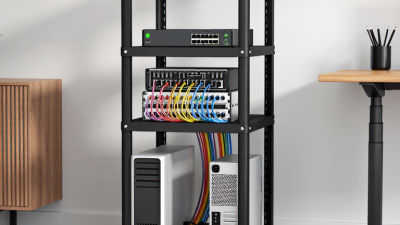
Choosing a Rack Mount Server isn’t just about picking the biggest or most powerful machine out there. It’s really more about matching the hardware to what you actually need to get done. For example, a small 1U model can save you some rack space and is pretty good for regular web or app tasks. On the other hand, a 2U chassis usually offers more room for drives, memory, or expansion cards if you need more power or flexibility. Then there are larger 4U systems, which are great if you’re dealing with heavy storage needs or want to set up some specialized accelerators. Just keep in mind—they take up more room and might need some careful planning for power and cooling. Little details really do matter here—stuff like a cramped rack, warm exhaust, or tricky cable access can turn what seems like a perfect setup into a real hassle.
Legendary computer scientist Andrew S. Tanenbaum once joked, “The nice thing about standards is that you have so many to choose from.” When you’re comparing server sizes, compatibility, or how you’ll deploy them, that’s actually pretty relevant. Some of the main types of rack servers include general-purpose models, storage-optimized units, GPU-accelerated servers, and high-density configurations. Each one strikes a different balance between processing power, capacity, and expansion options. But don’t just look at the specs alone—make sure to think about your workload needs, rack depth, airflow, how easy it’ll be to service, and where you might want to grow in the future. Sometimes, the tiniest detail gets missed. Even experienced teams tend to focus on processor speed and overlook stuff like noise levels or maintenance clearance—that’s worth a second look. In this guide, I’ll break down the main server types and show where each one fits best, so you can make a smarter choice without assuming that one chassis is the perfect fit for every data center out there.

1U rack servers are useful when floor space is tight and workloads need many compute nodes. Each unit occupies 1.75 inches of rack height, allowing more servers in the same cabinet than larger chassis. Uptime Institute’s 2023 Global Data Center Survey reported an average rack density of about 8.4 kW. That figure is a useful reference, not a safe design target for every site. More equipment in one rack can also mean more heat, cabling, and service work. Small details matter.
Before filling a cabinet, check power capacity, airflow, and the weight of fully loaded equipment. ASHRAE’s thermal guidelines give 18–27°C as the recommended inlet-temperature range for common data-center equipment classes. A front-to-back airflow path helps keep hot exhaust from returning to server intakes, but blanking panels and careful cable routing are still needed. Measure inlet temperatures at several rack heights; a cool reading near the top can hide a hot spot below. When expansion slots, storage, or quieter cooling matter more than density, a 2u Rack Mount Server may fit better. The trade-off is easy to underestimate: 1U saves space, but leaves less room for components and airflow. A practical design should leave capacity for growth, even if the first rack looks less full.
1U rack servers are well suited to high-density deployments, while larger chassis can accommodate more expansion or specialized hardware.
The chart compares common server heights by the maximum number that could fit in a standard 42U rack. These are theoretical counts and do not account for switches, power distribution units, cabling, airflow, or service clearance.
A 2U rack server offers a practical middle ground: more room for memory, storage, and expansion cards than many 1U systems, without consuming the space of a larger chassis. That extra height can mean additional drive bays, full-height PCIe cards, and clearer airflow paths. Exact options depend on the server design, so check the chassis specification rather than assuming every 2U model supports the same upgrades.
This flexibility matters as data and power demands rise. IDC’s 2024 Global DataSphere forecast projects worldwide data creation and replication reaching about 394 zettabytes by 2028. More storage capacity can help, but it also adds heat and power draw. The IEA’s Electricity 2024 report estimates data-centre electricity use could reach 620–1,050 TWh in 2026, up from about 460 TWh in 2022. That matters. When comparing 2U systems, review power limits, fan noise, drive layout, and the number of usable expansion slots. Leave room for service access, too. A fully populated chassis may look efficient on paper, yet become awkward to maintain in a crowded rack. A 2U server is not automatically the best fit; workload, cooling, and future upgrade plans should decide.
| Rack Server Type | Typical Height | Performance and Expansion | Common Workloads | Main Advantage | Key Consideration |
|---|---|---|---|---|---|
| 1U rack server | 1 rack unit (1.75 in / 44.45 mm) | High compute density in a compact chassis; internal expansion and drive capacity are generally more constrained than in taller systems. | Web hosting, network services, virtualization, and scale-out clusters | Fits many systems into limited rack space | Compact airflow and expansion constraints can make component choice and cooling important. |
| 2U rack server | 2 rack units (3.5 in / 88.9 mm) | Balances processor, memory, storage, and add-in-card options; the extra height often allows more internal space than a 1U design. | Virtualization, databases, business applications, and general-purpose infrastructure | A versatile balance of performance, expansion, and rack-space use | Exact drive, memory, and PCIe capacity depends on the chassis and configuration. |
| 4U rack server | 4 rack units (7 in / 177.8 mm) | More chassis volume can support larger storage configurations, additional expansion cards, and greater cooling capacity. | Storage-intensive applications, data analysis, and systems requiring substantial I/O | Room for extensive internal expansion | Uses more rack space and may require greater power and cooling capacity. |
| Multi-node rack server | Commonly 2U or 4U, depending on design | Combines multiple independent compute nodes in a shared enclosure; node-level resources and shared components vary by system. | Scale-out computing, cloud infrastructure, and high-density clusters | High compute density with shared enclosure infrastructure | Shared components and chassis design can affect servicing and upgrade choices. |
| GPU-optimized rack server | Commonly 2U or taller, depending on accelerator and cooling requirements | Designed to accommodate accelerator cards, higher power delivery, and enhanced airflow or liquid-cooling options. | AI and machine-learning workloads, graphics processing, and scientific computing | Supports parallel workloads that benefit from accelerator hardware | Power, cooling, card compatibility, and rack infrastructure require careful planning. |
Rack-unit heights follow the standard 1U measurement of 1.75 inches (44.45 mm). Actual capacity and features vary by server design and configuration.
3U and 4U rack servers offer more room for components than compact 1U systems, making them practical when workloads may grow. A 3U chassis can provide space for additional storage drives, memory, and full-height expansion cards. A 4U model usually allows still greater flexibility, including larger cooling options and more room to service components. Check the server’s actual specifications, though: rack height alone does not guarantee a particular number of bays or slots. Room matters.
A Server Rack Server in a 4U chassis can suit virtualization, data storage, or compute tasks that need several expansion cards. The added space may also make cable routing and hands-on maintenance easier. But larger systems can use more rack capacity and require careful attention to airflow, power draw, and chassis depth. Measure the rack rails and rear clearance before choosing; a server that fits by height may still block a door or cable path. A 3U option can be a sensible middle ground when capacity matters but rack space is limited. More room is helpful, not automatically better. It can tempt teams to add components they do not need, increasing heat and maintenance work. Decide based on the workload, upgrade plans, and the room’s cooling limits.
Multi-node rack servers place several independent compute nodes in one chassis, sharing rails, fans, and power connections. This layout can free valuable cabinet space when a workload needs many modest servers rather than a few large systems. A technician can manage fewer physical enclosures, while each node still runs its own operating system and applications. That sounds tidy on paper. Real installations still need careful planning.
Check Server Rack U capacity before choosing a chassis, and leave room for switches, cable paths, and airflow. Shared power supplies may reduce duplicated hardware, but the total load can still be substantial. Measure expected demand, not just the number of nodes. Dense configurations also concentrate heat, so verify that the room’s cooling can handle sustained workloads. Small details matter.
Multi-node designs suit clustered services, virtualized environments, and other jobs that benefit from compact, independent compute resources. They may be less convenient when staff need frequent access to individual components or when workloads require very different cooling and power profiles. Review how nodes are removed, how failures are isolated, and whether network connections are easy to trace. A neat chassis does not automatically make maintenance simple. It is worth testing the service workflow before committing to a dense layout.
Storage-optimized rack servers suit workloads that keep growing in both volume and access frequency. IDC’s 2023 Global DataSphere forecast projected 291 zettabytes of data created, captured, or replicated worldwide by 2027. That scale makes drive capacity only part of the decision. A server may need dense bays, fast NVMe drives for active datasets, and larger-capacity disks for colder files. Hot-swappable trays also help technicians replace a failed drive without pulling the whole system from service. Small details matter.
A Server 2u Rack configuration can provide room for more drives and stronger airflow than a compact chassis, but it also needs careful power and cooling planning. Check sustained read and write speeds, not just advertised capacity. Confirm that the controller, network links, and backup design can keep pace with the storage pool. Still, specifications can mislead: a shelf full of drives is little help if users wait on slow queries or congested links. I have seen capacity planning overlook that bottleneck.
Tips: Match drive types to workload temperature. Keep spare bays and monitor drive health, airflow, and rebuild times. Test recovery before relying on it.
GPU-optimized rack servers are built for workloads that need parallel processing, such as model training, scientific simulation, and video analysis. Their chassis can hold several accelerator cards alongside high-speed processors, memory, and storage. The goal is not simply to fit more hardware into a rack. Each component needs enough power, cooling, and data bandwidth to keep the system working efficiently.
Airflow deserves close attention. Dense GPU configurations can produce substantial heat, so servers often use carefully directed front-to-back cooling and high-capacity fans. Heat is real. In a crowded rack, blocked vents or uneven airflow may reduce performance or trigger thermal limits. Liquid cooling can help in some environments, but it adds plumbing, monitoring, and maintenance requirements.
Before choosing a configuration, match the server to the actual workload. Check accelerator memory, PCIe connectivity, system memory, network speed, and supported storage. For example, a training cluster may need fast links between servers, while an inference system may prioritize low latency and predictable power use. Specifications do not tell the whole story. Testing with representative workloads can reveal bottlenecks that a datasheet misses, and the best balance may require adjustment after deployment.
It combines dense drive bays, fast NVMe drives for active data, and larger disks for colder files. Capacity alone is not enough.
Technicians can replace a failed drive without taking the whole system out of service. Small detail, big relief.
Compare sustained read and write speeds. Also check the controller, network links, and backup design. A full shelf can still feel slow.
Confirm that power and cooling can support its drives. Leave room for airflow and spare bays. I might be overlooking something, but those details are easy to miss.
Model training, scientific simulations, and video analysis can use parallel processing. Not every workload needs multiple accelerators.
Dense accelerator cards produce substantial heat. Blocked vents or uneven airflow can reduce performance or trigger thermal limits. Heat is real.
It can help in some environments, but it adds plumbing, monitoring, and maintenance. Not a free upgrade.
Test representative workloads and check accelerator memory, system memory, PCIe connections, network speed, and storage. Datasheets miss things. You may need adjustments after deployment.
Rack Mount Server options are designed to meet different needs for space, performance, and expansion. Compact 1U systems suit high-density deployments where efficient use of rack space is a priority. A 2U server offers a balanced choice, with more room for components and expansion while keeping a moderate footprint. For installations that need greater flexibility and capacity, 3U and 4U systems can accommodate a wider range of components.
Other types focus on specialized workloads. Multi-node servers place several computing nodes in a shared enclosure, helping make efficient use of space and power. Storage-optimized systems are built to support data-heavy applications, while GPU-optimized servers provide the resources needed for accelerated computing. Choosing among these types depends on workload demands, available rack space, expansion plans, and power requirements.