Leave Your Message
0%

Picking out the best cloud VPS server isn't just about going for the most expensive plan out there. It’s more about finding a setup that matches your actual needs—thinking about what kind of workloads you'll be running, what your users expect, and how you see things growing down the line. For example, a small online shop might just need a couple of CPU cores, four gigs of RAM, and solid backups to keep things safe. But if you're dealing with a data-heavy app, you'll probably want faster storage, better network capacity, and easy ways to scale up when needed. The right cloud VPS should tick these boxes without bleeding you dry every month.

A good starting point is to look at performance data. Check out the CPU specs, NVMe storage options, memory limits, network speeds, and how reliable the provider’s uptime really is—independent monitoring reports can often tell you more than the shiny marketing claims. Don't forget to review the control panel, OS choices, backup schedules, security features, and how quickly tech support responds. Big names like DigitalOcean, AWS, or Vultr each have their own strengths, but none are exactly alike. Make sure to read the fine print on service agreements, so you're aware of any fine details.

Of course, price still plays a role here. But watch out—sometimes a plan that looks cheap at first can end up costing more in the long run thanks to traffic fees, snapshot charges, or migration costs. It’s also worth asking how they handle hardware failures and if support staff are available 24/7. A server that’s blazing fast in New York might be pretty sluggish in Singapore, so test latency from your target audience’s location.

Honestly, there’s no one-size-fits-all “best” option. Even seasoned admins can make poor choices if they only go by specs alone. The smarter move? Review real-world monitoring data, start small, and then reassess once your actual traffic kicks in. Not the most glamorous approach, maybe—but definitely the most reliable.

How to Choose the Best Cloud VPS Server?

What Is a Cloud VPS Server?

How to Choose the Best Cloud VPS Server?

What Is a Cloud VPS Server?

A cloud VPS server is a virtual private machine running on powerful cloud infrastructure. It shares physical hardware with other virtual servers, but operates inside an isolated environment. Each VPS usually receives assigned CPU power, memory, storage, and network resources. This setup offers more control than shared hosting and costs less than a dedicated machine.

You can install an operating system, configure software, manage users, and adjust server settings remotely. Cloud infrastructure also makes expansion easier when traffic increases. However, performance still depends on resource limits and the provider’s hardware quality. In my experience, a low price can hide slow storage or weak technical support. That detail deserves careful checking.

Tips: Review guaranteed resources, storage type, network capacity, and server location. Choose a nearby region to reduce page loading delays. Check backup policies and recovery procedures before purchase. A clear service agreement matters. Test monitoring tools, security controls, and support response times. Do not assume unlimited scaling is automatic; some upgrades may require a restart or manual approval.

Which Resources Should a Cloud VPS Include?

Choosing the best cloud VPS server begins with matching resources to your workload. A small website may need two virtual CPU cores, 4 GB of RAM, and fast SSD storage. A database or development environment usually needs more memory and stronger disk performance. Check dedicated CPU availability, not only the advertised core count. Shared processing can create slowdowns during busy hours.

Storage type matters. NVMe storage can reduce application delays, especially when many files are read simultaneously. Review the included storage capacity, backup options, and recovery process. Reliable network resources are equally important. Look for clear bandwidth limits, stable port speeds, IPv4 or IPv6 support, and useful traffic monitoring. I once focused too much on RAM and ignored disk input/output. The server felt sluggish anyway. That mistake changed how I compare plans.

Tips: Test real workloads before upgrading. Watch CPU usage, memory pressure, disk latency, and network traffic for several days. Leave room for growth. A server operating at 90 percent capacity may work today but fail during a traffic spike. Automatic backups are valuable, but they should not replace independent recovery tests. Check whether resources can scale without rebuilding the server. Also inspect technical support quality, maintenance notices, uptime terms, and security controls. Specifications look precise, yet actual performance can vary by location and host-node demand. Ask for transparent limits and test results.

How to Choose the Best Cloud VPS Server? - Which Resources Should a Cloud VPS Include?

Resource or Feature Entry-Level Website Business Application High-Traffic Workload What to Check Before Choosing
vCPU 1–2 dedicated or shared vCPU 2–4 vCPU 4–8+ vCPU Confirm whether CPU cores are dedicated, shared, or subject to usage limits.
Memory (RAM) 2–4 GB 4–8 GB 8–32+ GB Allow additional memory for databases, caching, control panels, and background services.
Storage Type SSD storage NVMe SSD preferred High-performance NVMe SSD NVMe generally provides lower latency and higher input/output performance than standard SSD storage.
Storage Capacity 40–80 GB 80–200 GB 200 GB–1 TB+ Include operating-system files, application data, logs, snapshots, and future growth.
Monthly Data Transfer 1–3 TB 3–10 TB 10 TB or more Check whether traffic is metered, capped, throttled, or billed separately.
Network Port Speed At least 100 Mbps 1 Gbps preferred 1 Gbps or higher A high port speed does not guarantee high real-world throughput; review network capacity and limits.
IP Addressing 1 public IPv4 address IPv4 with optional IPv6 IPv4 and IPv6 support Verify additional IP costs, reverse DNS availability, and IPv6 routing support.
Virtualization Full virtual machine isolation KVM-based or equivalent isolation KVM-based or equivalent with predictable performance Full virtualization normally provides stronger kernel and resource isolation than container-only hosting.
Operating System Options Current Linux distribution Linux and supported Windows options Custom images and automated deployment Choose an actively supported release and confirm image, kernel, and licensing compatibility.
Backups and Snapshots Scheduled backups recommended Automated backups with retention settings Off-site backups and point-in-time recovery Backups should be stored separately from the VPS and tested through regular restoration procedures.
Scalability Resize within the same region Vertical scaling with minimal downtime Load balancing and multi-server expansion Check resize procedures, downtime requirements, maximum limits, and availability of additional instances.
Security Controls Firewall and SSH-key support Private networking and role-based access DDoS mitigation and network segmentation Use least-privilege access, key-based authentication, patching, firewalls, and monitoring.
Availability Target At least 99.9% stated uptime At least 99.9% with documented SLA SLA-backed availability with redundancy options Read the SLA exclusions, maintenance policy, service credits, and incident-response commitments.
Monitoring and Support Basic metrics and ticket support Alerts, logs, and 24/7 ticket support Real-time monitoring, alert integration, and rapid escalation Confirm monitored metrics, response times, escalation channels, and whether support is managed or self-service.

How to Compare Cloud VPS Performance and Reliability

Choosing a cloud VPS requires more than comparing advertised CPU cores. Performance should be tested under realistic workloads, including sustained CPU use, storage IOPS, network throughput, and response latency. A server may look fast for five minutes, then slow down during evening traffic.

Latency matters. Measure round-trip time from your users’ main regions, not only from the provider’s test page. Run repeated disk and network tests over several days. Numbers can lie. A single benchmark may hide noisy neighbors, throttling, or temporary capacity. NIST’s cloud computing guidance emphasizes measured service, so compare repeatable results rather than attractive specifications.

Reliability needs evidence beyond an uptime percentage. Check the service-level agreement, maintenance history, backup frequency, recovery testing, and options for distributing workloads across separate zones.

Uptime Institute’s 2024 Annual Outage Analysis reported that 54% of respondents experienced a recent outage costing more than $100,000.

That figure makes recovery planning a practical purchasing criterion, not paperwork. Ask how quickly a failed virtual machine can be restored, and whether support operates around the clock. A provider may promise strong availability but offer weak recovery controls. That is where many comparisons become incomplete.

How to Evaluate Security, Backup, and Support Features

Choosing a cloud VPS server requires more than checking CPU cores and monthly price. Security controls should be visible, testable, and regularly updated. The 2024 Data Breach Investigations Report found that human involvement appeared in 68% of breaches. Therefore, select a provider offering multi-factor authentication, role-based access, network firewalls, and detailed activity logs. Encrypted storage and encrypted connections should be enabled by default. They are not luxury features.

Backup quality needs practical evidence. Ask how often snapshots run, where copies are stored, and how long recovery takes. The 2024 Data Protection Trends report reported that 76% of organizations experienced at least one ransomware attack in the previous year. A VPS plan should support isolated backups, retention policies, and point-in-time restoration. Test recovery on a small server first. A backup that cannot restore is only an expensive assumption. I learned this the hard way during a rushed migration.

Tips: Request a recent restore report. Check whether backup traffic is encrypted. Confirm recovery time objectives in writing. Then test support before purchasing. Send a technical question at night and measure the response. Uptime Institute’s 2024 Global Data Center Survey found that outages continue to create serious financial impact, even when their frequency declines. Support should provide escalation paths, incident updates, and engineers who understand Linux, networking, and security. A friendly reply is not enough. Ask for evidence.

How to Match a VPS Plan to Your Workload

How to Choose the Best Cloud VPS Server?

How to Match a VPS Plan to Your Workload

Start with evidence, not attractive specifications. Identify your application’s daily users, peak traffic, storage growth, and response-time needs. A small website may run smoothly with two virtual CPUs and four gigabytes of memory. A data-heavy service may need more memory before adding processors. Memory pressure often causes slower performance than expected.

Measure real use. During testing, monitor CPU load, memory usage, disk operations, and network transfer. A shop receiving most visitors between 7 p.m. and 10 p.m. needs a plan that handles evening bursts. A background processing system needs steady CPU performance instead. I have seen teams choose large servers for quiet workloads and still experience delays because storage was too slow.

Leave room.

Select fast storage for databases and frequent file access. Choose additional bandwidth when users download large files or stream media. Check whether the plan supports snapshots, automated backups, firewall controls, and monitoring. These features affect reliability, not just convenience. Keep backups in a separate location and test restoration before an incident occurs. A backup that has never been restored is only an assumption.

Review the server after two or four weeks. Usage patterns often differ from forecasts. If average resources remain low, reduce capacity carefully. If performance stays tight during normal traffic, investigate the application before upgrading. More hardware may hide inefficient queries, poorly configured caching, or unnecessary background tasks. That mistake can become expensive.

How to Compare Pricing and Select the Best Provider

Choosing the best Cloud VPS server starts with the full monthly cost, not the advertised headline price. The 2024 State of the Cloud Report found that 27% of cloud spending was estimated to be wasted. That figure makes careful comparison essential. List the vCPU, RAM, storage type, bandwidth, backups, IPv4 addresses, snapshots, and support fees. A plan costing $8 may become $18 after storage and traffic charges.

Test the same workload across several providers. Measure page response time, disk input/output, CPU stability, and network latency from your users’ locations. Ask whether prices change after introductory periods. Check renewal rates, billing by the hour, minimum commitments, and data-transfer charges.

The 2024 Global Data Center Survey from Uptime Institute reported that 54% of respondents experienced an outage during the previous three years. Therefore, review service-level agreements, maintenance notices, backup policies, and recovery procedures, not only uptime percentages.

Small details matter. A 2 GB VPS may handle a light website, yet fail during a traffic spike. I learned this the hard way. Cheap storage can also create slow database queries. Choose transparent invoices and readable usage dashboards.

The best provider is not always the cheapest; it offers predictable costs, responsive support, and performance that matches your workload. Leave room for growth, but avoid paying for unused capacity. My own comparison process is imperfect, because benchmark results can change with regional congestion. Recheck them before signing a long-term contract.

Print Server USB for PowerEdge R750/R750xs: IDC and Gartner Report–Informed Enterprise Workload Outline

A USB print server for dual-socket enterprise rack systems should be evaluated as part of a broader workload strategy rather than as an isolated peripheral. In offices, factories, healthcare environments, and distributed service centers, centralized USB printing can simplify device access, reduce workstation dependencies, and support controlled queuing across departments. An analyst-informed enterprise outline should also consider virtualization density, remote management, security segmentation, storage growth, and predictable service continuity. The print function may require modest resources, but it benefits from a stable platform that can operate alongside file services, business applications, monitoring tools, and virtual machines.

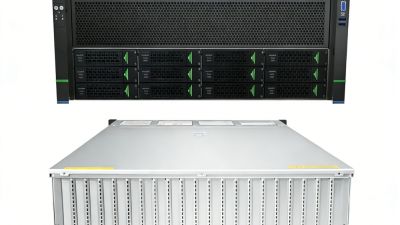
For more demanding infrastructure, the AMD Turin Platform 4U AI Server provides a scalable foundation for mixed enterprise workloads. Dual AMD EPYC Turin 9005 processors, with compatibility for Genoa 9004, deliver substantial compute capacity for virtualization, data processing, and AI training. Up to 24 DDR5 memory slots support expanded application footprints, while NVMe, SATA, and SAS options accommodate different performance and retention requirements. Up to eight PCIe 5.0 GPU slots enable accelerated analytics and AI services, while redundant power supplies and advanced cooling support continuous operation. In a consolidated deployment, USB print services can run in a dedicated virtual machine or controlled service layer, alongside business workloads without compromising expansion headroom or operational resilience.

FAQS

How should cloud VPS performance be tested?

Test sustained CPU use, storage IOPS, network throughput, and response latency. Run tests under realistic workloads. Repeat them over several days. A five-minute result may hide evening slowdowns, throttling, or noisy neighbors.

Why does network latency matter?

Latency affects how quickly users receive responses. Measure round-trip time from your users’ main regions. Do not rely only on a provider’s test page. A server can seem fast nearby but respond slowly overseas.

How can storage performance affect an application?

Slow storage can delay databases, file access, and background jobs. Monitor disk operations during busy periods. A service may have strong processors but still feel sluggish. I sometimes focus too much on CPU numbers.

How should a VPS plan match workload needs?

Review daily users, peak traffic, storage growth, and response-time requirements. A small website may need two virtual CPUs and four gigabytes of memory. A data-heavy service may need more memory first. Memory pressure can create unexpected delays.

What should be checked during workload testing?

Monitor CPU load, memory usage, disk operations, and network transfer. Test the busiest expected hours. A website receiving traffic from 7 p.m. to 10 p.m. needs evening capacity. Steady processing workloads require consistent CPU performance.

Which reliability details deserve attention?

Check the service-level agreement, maintenance history, backup frequency, and recovery procedures. Ask how quickly a failed virtual machine can be restored. Confirm whether support operates around the clock. An uptime percentage alone is incomplete.

Why are backups and restoration tests important?

Keep backups in a separate location. Test restoration before an incident occurs. A backup never restored is only an assumption. The process may fail when pressure is highest.

When should a VPS plan be reviewed?

Review usage after two or four weeks. If resources remain low, reduce capacity carefully. If performance stays tight, inspect the application before upgrading. More hardware may hide inefficient queries, weak caching, or unnecessary background tasks. That mistake gets expensive.

Conclusion

Choosing the best cloud VPS server begins with understanding how virtualized computing resources provide dedicated control, scalable performance, and greater flexibility than basic shared hosting. A reliable Vps Server Cloud plan should include suitable CPU power, memory, SSD storage, bandwidth, and the ability to scale resources as demand changes. When comparing options, examine processing speed, network stability, uptime history, and infrastructure redundancy to ensure consistent performance.

Security, automated backups, monitoring, technical support, and recovery options are also essential when evaluating a provider. Match the VPS configuration to your workload, whether you need it for websites, applications, databases, development, or business services, while avoiding unnecessary resources that increase costs. Finally, compare pricing carefully by reviewing renewal fees, included features, upgrade policies, traffic limits, and support availability. The best choice is not always the cheapest plan, but the one that offers a balanced combination of performance, reliability, security, flexibility, and long-term value.


Blog Tags:

    Amelia

    Amelia

    Amelia is a dedicated marketing professional based in Shenzhen, China, with a strong expertise in hardware solutions. As part of ZOZT, she plays a crucial role in bridging the gap between cutting-edge technology and customers' needs. Amelia is well-versed in the intricacies of rack servers,......
    Previous 2026 Top Dedicated Game Server Hosting Providers?
    Next Top Home Server Rack Options for Home Networking