Leave Your Message
0%

So, data center networking? Honestly, it's the glue that holds the entire digital world together—kind of like the nervous system for modern computing. It connects servers, storage systems, cloud platforms, security tools, and, you know, all of us users. Inside a data center, switches are constantly shuffling traffic between machines, while routers handle the links to external networks and services. And then you've got network interface cards, optical cables, and software controllers to tie up the whole path. It's not flashy, but without it, nothing would work. You know, the goal here is for all this to feel invisible. But that's easier said than done. So you've got traffic moving east-west, which basically means between servers that are working together on the same app. Then there's north-south traffic, which is the stuff going in and out of the data center to users out there. To keep both flowing smoothly, we rely on things like high-speed Ethernet, leaf-and-spine setups, and software-defined networking. And of course, you need redundant links so that if a cable breaks or a switch fails or power goes out, services stay up. Segmentation helps too, so that you don't expose more than necessary. But even with all that, a small misconfiguration can still cause trouble and spread quickly. So it's not exactly a walk in the park.

So, you've probably seen some industry reports about why this whole discipline is a big deal. For instance, Cisco's 2024 AI Readiness Index – yeah, that one – found that only a measly 14% of the companies they surveyed were actually fully ready for AI workloads. That's a tiny fraction, right? And almost everyone else said they're feeling the pressure to ramp up, like urgency is through the roof. Here's the thing: AI systems aren't just your average network traffic. They can generate these intense, synchronized bursts of data between compute nodes that are pretty wild. If your network design isn't solid, you're looking at some serious bottlenecks that'll cost you a fortune, long before your processors even get a chance to show what they've got. So, the Uptime Institute's 2024 survey on data centers really drives home how outages can hit the wallet hard—some of those incidents cost millions. But here's the thing: the numbers aren't the same for everyone, so you can't just take them at face value. You've got to dig into what they mean for your own setup. And yeah, that's a bit of an uncomfortable truth to sit with.

Look, here's the thing about building a solid Data Center Networking strategy—it's not just about the big picture. You've gotta juggle capacity planning, automation, observability, and actually tested recovery procedures. Engineers like me are constantly monitoring latency, packet loss, throughput, and utilization, but that's only half the story. We also dig into real failure scenarios, not just the ones that look good on paper. Honestly, no architecture is perfect, and pretending otherwise is just asking for trouble. What really keeps things running is repeated testing, having clear ownership, and being honest about the evidence—that's where practical resilience comes from.
What Is Data Center Networking and How Does It Work?

Defining Data Center Networking and Its Core Purpose

Data center networking is the communication foundation inside a data center. It connects servers, storage systems, security tools, and external users. Its core purpose is to move data quickly, safely, and predictably. This work happens through switches, routers, cables, wireless controls, and network software.

In practice, a request may travel from an application server to a database within milliseconds. The network decides where that request goes and how traffic should return. In an Ecc Data Center, engineers may separate storage traffic from customer traffic. This reduces congestion and makes failures easier to isolate. Redundancy also matters. If one connection stops, another path can keep essential services available.

Good networking is not only about speed. It also supports access control, monitoring, traffic balancing, and planned growth. Administrators study latency, packet loss, bandwidth use, and unusual traffic patterns. These measurements help them find weak points before users notice them. The design is rarely perfect. A configuration change can create unexpected delays, and more equipment can increase management complexity. Careful testing, clear documentation, and regular review improve reliability over time. Small delays still matter. A slow internal link may affect thousands of transactions.

The Main Components That Build a Data Center Network

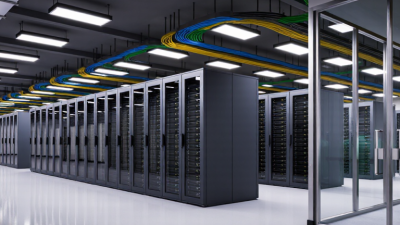
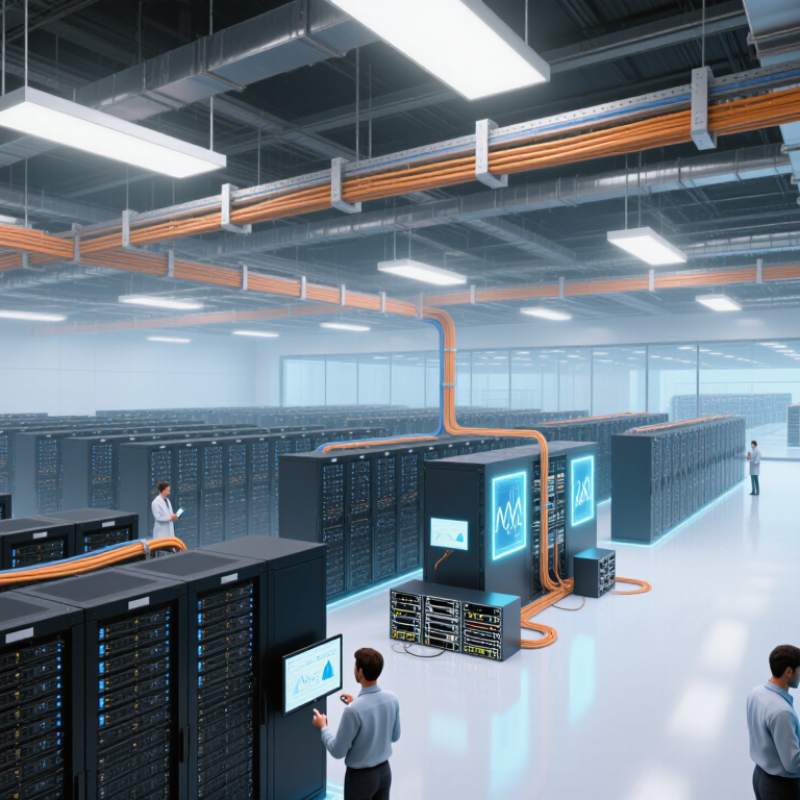
A Big Data Center depends on a carefully layered network. Servers connect through network interface cards, copper cables, or fiber links. Top-of-rack switches gather traffic from nearby machines. Aggregation switches then move data between server groups. Core switches connect major areas with high-speed paths. Routers manage traffic between the data center and external networks.

Firewalls inspect connections and restrict unauthorized access. Load balancers distribute requests across healthy servers. Storage networks may use separate switches to protect database traffic from application traffic. Monitoring systems measure latency, packet loss, temperature, and link health. In practice, network diagrams rarely match every cable. A mislabeled fiber can still cause hours of delay. Redundancy helps, but it does not replace careful testing.

Tips:

Keep cable labels readable at both ends. Use separate paths for critical links. Test failover during scheduled maintenance. Record switch ports, IP ranges, and recent changes. Watch traffic patterns before expanding capacity. Engineers sometimes focus on bandwidth and overlook latency. That mistake deserves review. A short maintenance checklist can prevent a long outage.

How Data Moves Across Servers, Storage, and Network Devices

Data center networking is the invisible route between compute servers, storage systems, and users. A request may travel through several switches before reaching its destination. Each switch reads a packet header, selects a path, and forwards the packet through copper or fiber links. Storage traffic behaves differently. It often moves in short bursts, while backups can occupy links for hours.

The International Energy Agency’s Electricity 2024 report estimates that data centers consumed about 460 terawatt-hours globally in 2022. It expects demand to exceed 1,000 terawatt-hours by 2026. More traffic therefore raises both capacity and energy concerns. Uptime Institute’s 2024 Global Data Center Survey also found that 54% of respondents reported a most recent outage costing more than $100,000. A congested or misconfigured network can become an expensive failure point.

In practice, engineers separate traffic with virtual networks and monitor latency, packet loss, and queue depth. A database request may need consistent low latency, while a nightly archive can accept slower delivery. Redundant links help, but they do not remove every risk. I still distrust diagrams showing perfect failover. Real networks contain uneven cables, outdated rules, and human mistakes. Testing route changes during quiet periods exposes these weaknesses before peak demand arrives. The overlooked detail is often a full switch buffer, not a broken server.

Network Architectures Used in Modern Data Centers

Data center networking connects servers, storage systems, security controls, and external users. Its architecture determines how traffic moves, how quickly services respond, and how safely failures are contained. In practice, network engineers study application behavior before selecting equipment. Traffic patterns decide.

Traditional three-tier architecture uses access, aggregation, and core layers. It remains understandable and useful for smaller facilities. However, traffic between servers can travel through several layers, creating congestion and unnecessary latency. A misconfigured uplink may affect many workloads. Latency matters.

Modern facilities often use leaf-spine architecture, a form of Clos design. Every leaf switch connects to every spine switch, creating several equal-cost paths. Servers attach to leaf switches, while spines provide predictable connectivity between them. This structure supports heavy east-west traffic, such as database replication and distributed analytics. It also simplifies horizontal growth because new leaves or spines can be added without redesigning the entire network.

Virtual networks add another layer. Overlay tunnels can separate development, production, storage, and backup traffic across shared physical links. Centralized control systems may automate routing, segmentation, and policy enforcement. Yet automation can spread a bad rule quickly. Careful testing, clear rollback plans, and independent monitoring remain essential.

No architecture is perfect. A leaf-spine fabric can increase cabling, power use, and operational complexity. Engineers should measure latency, packet loss, capacity, and failure recovery under realistic workloads. A design that looks efficient on paper may behave differently during maintenance or sudden demand. Real observations should challenge the original plan.

Protocols and Technologies That Enable Network Communication

Data center networking connects servers, storage systems, security devices, and users through layered protocols. Ethernet carries frames across physical links, while IP addresses guide packets between network segments. TCP checks delivery and manages congestion. UDP moves time-sensitive traffic with less overhead. Small delays matter.

Inside a Cdu Data Center, switches often separate workloads using virtual networks. VLANs provide basic isolation, while VXLAN can extend logical networks across many physical locations. EVPN helps distribute endpoint information and reduces unnecessary flooding. Routing protocols, such as OSPF or BGP, select efficient paths when links change. DNS translates service names into addresses, and DHCP can assign network settings automatically.

Reliable operations depend on more than fast hardware. Redundant links, diverse power paths, and rapid failure detection keep services available during maintenance or unexpected faults. Telemetry records latency, packet loss, interface errors, and queue pressure. Engineers can then compare live behavior with documented baselines. Encryption protects traffic between approved zones, although encrypted traffic can make troubleshooting harder. That trade-off deserves attention. Automation through tested APIs reduces repetitive configuration, but one incorrect template may affect hundreds of devices. Careful validation, staged deployment, and independent review remain practical safeguards. A short packet capture often reveals what a dashboard hides.

Security, Performance, and Reliability in Data Center Networks

What Is Data Center Networking and How Does It Work?

Data center networking connects servers, storage systems, applications, and users through carefully managed traffic paths. Security begins with clear separation. Public services, internal systems, backups, and management tools should not share unrestricted access. Network segmentation limits damage when one account or device is compromised. Strong encryption protects data moving between systems, while identity checks confirm who can connect. Small gaps matter. Administrators should review access logs, failed login attempts, and unusual traffic every day. Regular patching also reduces exposure, although rushed updates can create unexpected outages.

Performance depends on predictable paths and low latency. A busy database should not compete equally with a routine file transfer. Traffic policies can prioritize time-sensitive workloads and restrict unnecessary flows. Engineers often test throughput during peak demand, not only during quiet hours. Reliability requires more than duplicate equipment. Separate power paths, redundant connections, automatic failover, and tested backups help services continue after a hardware failure. A backup that has never been restored is only an assumption.

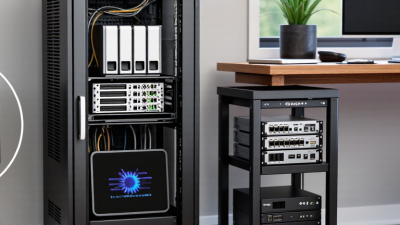
The same principles apply to a Home Data Center, even at a smaller scale. A household server may need separate networks for cameras, personal devices, and visitors. A simple diagram beside the rack can reveal risky connections. Yet no design is perfect. Extra controls increase complexity, and complexity can produce mistakes. Practical reviews should question unused firewall rules, forgotten accounts, noisy alerts, and recovery times. Security, performance, and reliability improve through repeated testing, measured changes, and honest attention to what still feels fragile.

FAQS

What is data center networking?

It connects servers, storage systems, security tools, applications, and users. Its main job is moving data quickly, safely, and predictably. Small delays spread.

How does data travel inside a data center?

A request moves through switches, routers, cables, and network software. Each switch reads packet information and selects a forwarding path. The route may cross several switches before reaching storage.

Why should network traffic be separated?

Storage traffic, customer requests, backups, and management traffic have different needs. Virtual networks can separate these flows and reduce congestion. They also make failures easier to isolate. Separation helps, but it is not perfect.

What affects network performance?

Latency, packet loss, bandwidth use, and queue depth all affect performance. A database request may require steady, low-latency delivery. A nightly archive can usually tolerate slower transfers. A full switch buffer may cause trouble before a server fails.

How does redundancy improve reliability?

Redundant links and separate power paths provide alternate routes during failures. Automatic failover can keep important services available. However, duplicate equipment does not remove every risk. Test it during quiet periods.

How is security supported by data center networking?

Segmentation limits access between public services, internal systems, backups, and management tools. Encryption protects data while it moves between systems. Identity checks help confirm who may connect. Daily log reviews can reveal unusual activity.

Why can network changes cause unexpected outages?

A new rule or route may create delays, loops, or blocked traffic. Rushed updates can also interrupt healthy services. Clear documentation and measured testing reduce these risks. Human mistakes remain possible.

How should backup and recovery plans be tested?

Teams should regularly restore backups and measure recovery time. A backup that has never been restored is only an assumption. Testing may reveal missing files, slow storage, or unclear responsibilities. That assumption fails.

Does a small network need the same principles?

A smaller network still benefits from segmentation, monitoring, backups, and clear diagrams. Separate cameras, personal devices, and visitor access when practical. Extra controls can increase complexity. Review unused rules and forgotten accounts.

Conclusion

Data Center Networking is the system that connects servers, storage platforms, applications, and network devices within a data center. Its core purpose is to enable fast, organized, and reliable communication so that data and services can move efficiently between users, computing resources, and storage locations. Key components include switches, routers, network interfaces, cables, wireless or virtual connections, and management systems. Together, these elements direct traffic, separate workloads, and support communication across physical and virtual environments.

Data moves through the network in organized packets, which are forwarded according to addressing and routing rules. Modern data centers may use layered, fabric-based, or software-defined architectures to improve scalability, flexibility, and resource utilization. Protocols and technologies for addressing, routing, virtualization, automation, and traffic management help devices communicate effectively. Strong security controls protect systems and data, while monitoring, redundancy, load balancing, and optimized network performance help maintain availability, reduce delays, and support continuous operations.


Sophia

Sophia

Sophia is a dedicated marketing professional based in Shenzhen, China, with a profound expertise in hardware solutions. With a strong focus on integrating independent research and development, production, and global sales, she plays a pivotal role at ZOZT, a leading manufacturer in the industry.......
Previous How to Choose China Best Data Center Tier Suppliers?