Picking the best VPS Server Cloud isn’t just about comparing monthly prices. You really need to know your workload, your own technical comfort level, traffic patterns, and where you want to go next. A small online store might run fine on two CPU cores, 4 GB RAM, and fast SSD storage. A growing app, though, may need stronger isolation, regional availability, and automatic scaling. In the end, the right pick comes down to evidence—not flashy ads.
Reliable providers like DigitalOcean, Vultr, Hetzner, and Amazon Web Services all bring different strengths to the table. Their control panels, backup systems, network performance, and support quality can vary quite a bit. When you test them in real life, check server response times from where your main visitors actually are. Look at uptime records, data center locations, firewall controls, and recovery procedures. And remember: a cheap plan can get expensive once backups, licenses, monitoring, and bandwidth charges show up later.
Small details matter.
You should also think about who’s going to handle updates, security patches, and performance tuning. Experienced users might prefer flexible Linux setups, while beginners may want guided tools and support that answers quickly. Independent reviews can help, sure, but they shouldn’t replace your own testing. Results can shift by region, season, and workload. I’ve seen a server run smoothly during quiet hours, then slow down under unexpected traffic. That possibility deserves honest attention. This guide walks through the key factors, compares practical options, and helps you choose a VPS Server Cloud plan with more confidence and fewer costly surprises.
What a VPS Cloud Server Is and How It Works
How to Choose the Best VPS Cloud Server?
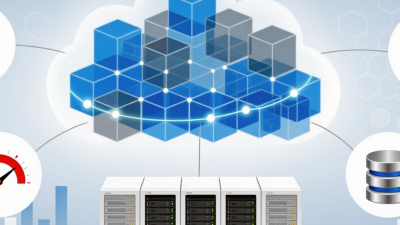
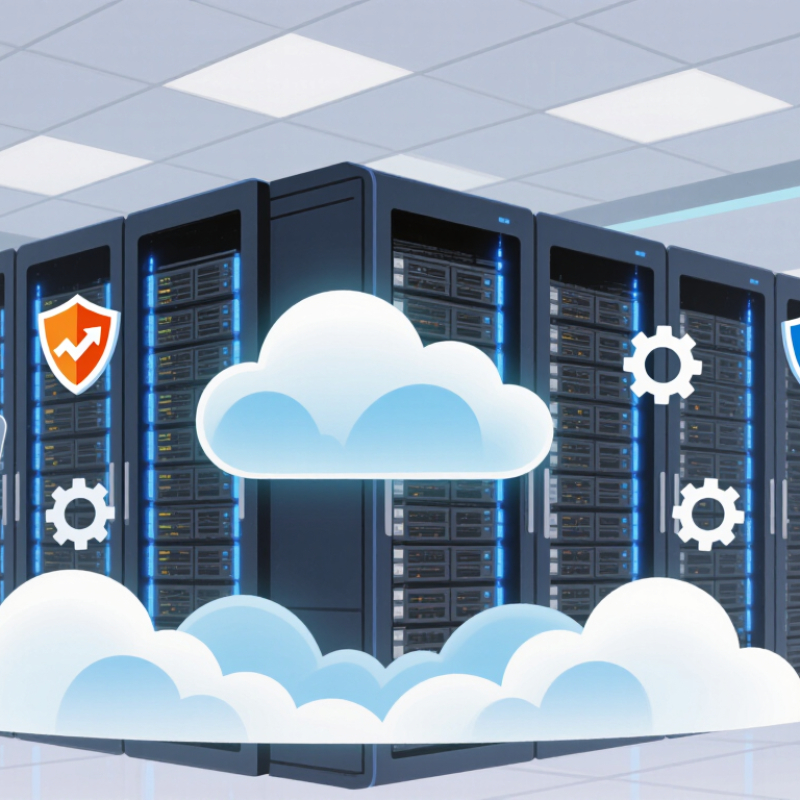
A VPS cloud server is a virtual machine running on shared physical infrastructure. A hypervisor divides one powerful server into separate virtual environments. Each environment receives allocated CPU cores, memory, storage, and network capacity. It feels like a private server, but the hardware remains shared. This structure usually offers more control than basic hosting and lower costs than a dedicated machine. However, isolation is not absolute. A noisy neighboring workload can sometimes affect performance.
The server begins with an operating system image and a virtual network interface. After deployment, you manage applications through secure remote access or a control panel. Cloud orchestration can move workloads between physical machines when hardware fails. Some systems also provide snapshots, automated backups, monitoring, and adjustable resources. These features improve resilience, but they are not magic. A backup that has never been restored is only an assumption.
Choosing the right VPS cloud server requires matching resources to real usage. A small website may need one or two virtual CPU cores and modest memory. Databases, video processing, and busy applications require faster storage and more capacity. Check network limits, data-center location, backup policies, support response, and service guarantees. Test latency from your users’ region. Monthly price alone can mislead you. In practice, performance may vary during peak periods, so independent benchmarks and a short trial are worth considering. You may also discover that your first resource estimate was wrong. That is normal, but ignoring monitoring makes the mistake expensive.
Which Workloads Benefit Most from a VPS Cloud Server
A VPS cloud server suits workloads that need dependable isolation without the cost of a dedicated machine. Web applications, online stores, and internal dashboards often benefit most. They receive reserved resources, predictable access, and flexible scaling when traffic changes. A small service can run on two virtual CPUs, 4 GB of memory, and fast storage. During a campaign, additional resources can be added without rebuilding the entire environment.
Development teams also use VPS cloud servers for staging, testing, and continuous integration. Separate environments reduce deployment risks and make troubleshooting clearer. API services are another strong use case, especially when stable network performance matters. Database workloads can perform well when memory, storage speed, and backup schedules are configured carefully. However, database tuning still matters. More resources will not fix poor indexing.
Data analysis, rendering, and machine learning may require a Gpu Vps Server. These workloads benefit from accelerated computation, but the GPU must match the software framework and memory demand. Otherwise, the expensive hardware may sit idle. From a technical planning perspective, review CPU credits, RAM limits, storage I/O, snapshots, monitoring, and recovery procedures before choosing a plan. High-traffic systems may outgrow a VPS. A clustered architecture could be safer. Even so, many small and medium workloads gain a practical balance of control, performance, and operational simplicity. My only caution is easy to overlook: scaling looks simple until application settings become the bottleneck.
How to Compare CPU, RAM, Storage, and Network Resources
How to Choose the Best VPS Cloud Server?
When comparing VPS cloud servers, start with the workload rather than the advertised plan. A small blog may run comfortably with two CPU cores and 4 GB of RAM. An online store with background jobs needs more headroom. I have seen servers slow down because users measured core counts but ignored CPU generation and sustained performance.
CPU affects page generation, database queries, and scheduled tasks. Look for dedicated or clearly defined vCPU resources when consistent speed matters. RAM is equally important because busy applications store active data in memory. If usage regularly reaches 80 percent, the system may begin using slower disk-based swap. That delay is noticeable.
Storage should match both capacity and workload. SSD storage usually handles frequent database reads better than older disk technology. Check input/output operations, not only gigabytes. A fast drive can still feel slow when shared heavily. Network resources also deserve careful testing. Compare port speed, monthly transfer limits, latency, and regional routing. A 1 Gbps port does not guarantee that speed for every visitor.
Test during realistic traffic.
Monitoring tools can reveal CPU steal time, memory pressure, disk latency, and packet loss. These figures are more useful than promotional labels. I once underestimated storage growth after adding image files and automatic backups. That mistake required an urgent plan change. Leave room for traffic spikes, software updates, and imperfect estimates. Reliability often comes from measured capacity, transparent limits, and support that explains outages clearly.
How to Choose the Best VPS Cloud Server? - How to Compare CPU, RAM, Storage, and Network Resources
| Workload Profile |
Typical vCPU |
Recommended RAM |
Suggested Storage |
Storage Performance Target |
Network Target |
Main Resource Priority |
What to Verify Before Purchase |
| Static Website or Landing Page |
1–2 |
2–4 GB |
40–80 GB SSD |
Basic SSD performance |
100–500 Mbps |
Network reliability and uptime |
Traffic limits, IPv4/IPv6 support, SSL configuration, and backup availability |
| Small CMS or Business Website |
2–4 |
4–8 GB |
80–160 GB SSD |
500–2,000 IOPS |
500 Mbps–1 Gbps |
RAM and storage response time |
Database limits, disk type, snapshot policy, and memory upgrade options |
| Web Application or API Service |
4–8 |
8–16 GB |
160–320 GB SSD |
2,000–5,000 IOPS |
1–5 Gbps |
CPU consistency, RAM, and low network latency |
Dedicated versus shared CPU, burst rules, latency to users, and bandwidth policy |
| Relational Database Server |
4–8 |
16–32 GB |
200–500 GB NVMe SSD |
3,000–10,000 IOPS |
1–5 Gbps |
RAM capacity, random I/O, and data durability |
Storage IOPS, write durability, disk redundancy, automated backups, and restore testing |
| Development and CI Build Server |
4–8 |
8–32 GB |
160–500 GB SSD |
2,000–8,000 IOPS |
1–5 Gbps |
CPU cores, temporary storage, and network transfer speed |
Core availability, build concurrency, storage expansion, and transfer quotas |
| Analytics or Data Processing |
8–16+ |
32–64 GB+ |
500 GB–2 TB NVMe SSD |
5,000–20,000 IOPS |
5–10 Gbps |
CPU parallelism, RAM, storage throughput, and data transfer |
Maximum disk size, sustained throughput, egress pricing, and horizontal scaling support |
Comparison Notes:
The figures above are practical starting-point ranges rather than guaranteed performance levels. Actual results depend on CPU contention, virtualization technology, operating-system configuration, application efficiency, disk queue depth, geographic location, and workload concurrency. Compare sustained performance, not only advertised peak specifications.
Key Selection Rule:
Choose CPU for computation, RAM for active working data, SSD or NVMe storage for database and file operations, and network capacity for traffic volume and latency. Leave approximately 20–30% headroom for traffic spikes, operating-system processes, and future growth.
How to Evaluate Reliability, Scalability, and Data Center Locations
Choosing a VPS requires more than CPU cores and advertised speed. Reliability begins with measurable evidence: independent uptime history, redundant power, diverse network paths, and tested backups. Uptime Institute’s 2024 Annual Outage Analysis found that more than half of serious outages cost over $100,000. That figure makes vague uptime promises uncomfortable. In practice, I check restoration tests, monitoring access, maintenance notices, and support response times before deployment. A Vps Dedicated Server may offer isolation, but isolation cannot repair a weak facility.
Scalability should be tested, not imagined. Use a small workload test, then increase traffic gradually while watching CPU steal time, disk latency, memory pressure, and database connections. Flexera’s 2024 State of the Cloud Report found that 89% of organizations use multi-cloud strategies. Portability matters, yet migrations can expose hidden egress fees and configuration drift. Location changes user experience. A nearby data center usually reduces round-trip delay, but routing quality still matters. Compare regions using synthetic probes from real customer cities. I sometimes overvalue low latency and underestimate recovery procedures; that mistake is expensive.
Tips: Ask for recent incident records, not only a service-level target. Test failover during a quiet window. Choose at least two suitable regions, verify data-residency requirements, and price backup storage separately. If scaling requires a manual ticket, it may already be too slow.
How to Check Security Features, Management Tools, and Support
Choosing the best cloud VPS requires more than comparing processor cores. Security, management tools, and support often decide whether a server remains reliable under pressure.
The 2024 Cost of a Data Breach Report placed the average breach cost at $4.88 million. Therefore, check for encrypted backups, multi-factor authentication, firewall controls, and isolated network access. Ask whether security patches are automatic or require manual approval. The 2024 Data Breach Investigations Report found that human involvement appeared in 68% of breaches. Clear access roles matter. A Vps Server Dedicated setup should also provide activity logs, resource alerts, and simple recovery testing. I would test these features before moving production data.
Tips: Create a small test instance. Restore one backup. Disable an unused account. Then review the audit log. If these tasks feel confusing, the management panel needs improvement.
Support quality is equally practical. Look for 24-hour assistance, defined response targets, and engineers who can explain root causes clearly. A support form that only sends automated replies is not enough during a failed deployment. Ask about emergency escalation, hardware replacement, and migration help. Industry availability research often shows that downtime costs vary sharply by workload, so published uptime figures should be read with their service-credit limits. I have learned that a lower price can hide slower recovery. That assumption deserves checking.
How to Match Pricing Models to Your Budget and Growth Plans
Choosing the best VPS cloud server starts with matching its pricing model to your financial reality. In practice, I compare predictable monthly plans with flexible hourly billing before selecting a server size.
Hourly pricing works well for testing, seasonal traffic, and short campaigns. You pay for actual usage. However, frequent experiments can create surprisingly high invoices.
A monthly plan usually suits stable websites, internal tools, and growing online stores. It makes cash flow easier to forecast. Check whether storage, backups, data transfer, and support cost extra.
Reserved commitments may reduce the monthly rate, but they limit flexibility. Choose them only when traffic patterns are measurable and cancellation terms are clear. For uncertain growth, begin with a modest VPS and monitor CPU, memory, disk activity, and bandwidth each week.
I once selected a cheaper plan that lacked enough disk performance, so database requests slowed during busy hours. That mistake was avoidable.
Compare total ownership costs, not the headline price. A
Vps And Dedicated Server
decision should reflect workload intensity, management skills, and future expansion. Dedicated resources can be practical for sustained demand, while a VPS remains efficient for smaller stages. Leave room in the budget for security updates, snapshots, and sudden traffic spikes. Forecasting is useful, but never perfect.
FAQS
Web applications, online stores, dashboards, APIs, and development environments often fit well.
Yes, resources can usually increase without rebuilding the whole environment.
Teams can separate staging, testing, and production-like environments.
They can perform well with enough memory, fast storage, and scheduled backups.
Data analysis, rendering, and machine learning may need accelerated computation.
Check core count, processor generation, sustained performance, and resource guarantees.
A small blog may work with two cores and 4 GB RAM.
Check storage input/output performance, not only capacity.
Watch CPU steal time, memory pressure, disk latency, and packet loss.
Conclusion
Choosing the best Vps Server Cloud begins with understanding how a virtual private server works. It provides dedicated portions of computing resources within a shared physical environment, offering greater control, performance, and flexibility than basic hosting. It is especially suitable for growing websites, business applications, development projects, databases, and workloads that need reliable customization without the cost of a fully dedicated machine.
When comparing options, evaluate CPU capacity, RAM, storage type, bandwidth, and network performance according to your workload. Also consider uptime reliability, easy scalability, data center locations, backup options, security controls, monitoring, management tools, and the quality of technical support. Pricing should be assessed beyond the initial monthly fee, including data transfer, storage upgrades, licenses, and support costs. The ideal solution should fit your current budget while allowing resources to expand as traffic, applications, and business requirements grow.