Picking out the best Rack Mount Server in 2026 really comes down to understanding what you need it to do. For instance, a compact 1U server can slide neatly into tight racks, but if you need more space for storage, extra cards, or better cooling, a 2U chassis might be the way to go. Honestly, neither size is a clear winner on its own. The right pick depends on your workload, power constraints, how much maintenance you'll need, and how deep your rack actually is.
Linus Torvalds, a pretty renowned systems-software guy, has a good piece of advice: “Talk is cheap. Show me the code.” Basically, for server shopping, don’t just go by shiny specs or a sleek product page. Ask for real-world benchmark results, tailored to your workload. Pay attention to sustained performance, memory options, storage choices, remote management features, warranty details, and how easily parts are available. Oh, and don’t forget to see how it behaves when fans kick in and things get warm—in fact, noise can be a bigger deal than you think.
By the way, those Server Rack U sizes are handy for figuring out how much space a server takes up, but they don’t tell you anything about its actual performance or how much it’ll cost to run. When you’re narrowing down your options, make sure to consider the whole setup—the full configuration, expected power consumption, and how easy it’ll be to upgrade later on. I wouldn’t just rely on some tidy comparison chart either; tiny differences in firmware, storage setup, or airflow can really change things. Sometimes, the seemingly better option might even be less powerful than you initially thought—that’s definitely worth questioning. This guide focuses on practical fit and reliable info, knowing that no single Rack Mount Server is a perfect fit for every budget or workload.
Define Rack Fit: EIA-310 19-Inch Racks and 1U = 44.45 mm
What Is the Best Rack Mount Server in 2026?
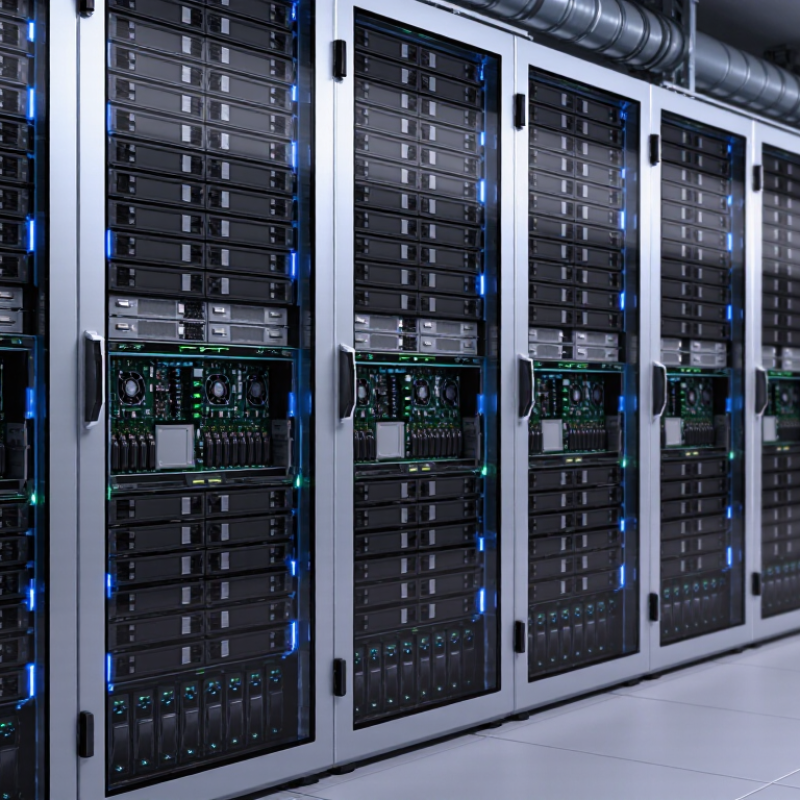
A “best” rack server must fit the rack before processor counts matter. EIA-310 defines the common 19-inch mounting interface; it does not mean the chassis itself measures 19 inches wide. Rack ears and rail clearances take up space. One rack unit, or 1U, equals exactly 44.45 mm in height. A 2U server therefore occupies 88.9 mm of vertical space. Small detail. Check usable depth, rail compatibility, cable bend radius, and door clearance too. A tape measure can catch problems that a product table misses. Rear power leads may need more room than expected.
Rack fit also affects cooling and service access. Uptime Institute’s 2024 Annual Outage Analysis reported that 54% of significant outages cost more than $100,000. That figure does not prove poor fit causes outages, but it shows why installation assumptions deserve scrutiny. Confirm the rack’s mounting-hole pattern, rated load, and rail adjustment against the server’s installation guide. Check airflow direction and blanking-panel coverage; a flush-looking installation can still recirculate hot exhaust. Rack standards define a starting point, not a complete fit guarantee. I would recheck dimensions after adding rails, cable arms, and power cords. Oversights happen. A little humility helps. The useful question for 2026 is not simply whether a server is 1U or 2U, but whether its complete installed configuration fits safely and remains serviceable.
Match CPU to Workload: AMD EPYC 9005 Scales Up to 192 Cores
What Is the Best Rack Mount Server in 2026?
The best rack server depends on the work it must perform. A processor offering up to 192 cores can suit dense virtualization, large databases, and parallel computing. But more cores do not automatically mean faster applications. Check whether your software can use them, and compare memory bandwidth, storage latency, and network capacity. A 2U chassis packed with cores may still struggle if memory is the bottleneck. For core-licensed software, extra cores can also raise costs.
Match the CPU to measured workload behavior. Review peak and sustained utilization, then test representative tasks with a benchmark such as SPEC CPU 2017. Gartner’s 2024 forecast projected data-center power demand could rise 160% by 2030, reinforcing the need to assess power and cooling alongside performance. In a rack, that means checking power draw, airflow, and neighboring equipment—not just the processor’s core count. A specification sheet is a starting point, not a verdict.
Tips: Use a short pilot run with real workloads. Record throughput, memory use, and power draw. If the 192-core model sits mostly idle, a smaller configuration may deliver better value. A little uncertainty is useful; workloads change.
Compare Memory and I/O: DDR5-6400 and PCIe 5.0 at 32 GT/s per Lane
When comparing rack servers in 2026, memory speed matters only when the workload can use it. DDR5-6400 can increase available memory bandwidth, which may help large databases, virtualization, and data-heavy analytics. But check the processor’s supported memory speed and the number of populated channels. A fast DIMM in the wrong configuration may deliver less benefit than expected. Measure real workloads, not just specification sheets.
PCIe 5.0 signals at 32 GT/s per lane, giving compatible accelerators and storage devices more room for data movement. A Server 2u Rack system with these slots can suit high-throughput storage or compute tasks, provided cooling and power budgets are adequate. More lanes help only if devices and workloads can use them. Tiny details matter. Check slot wiring, drive sharing, and firmware settings before purchase. Under sustained load, dense configurations can run hot, and fan noise may rise. Peak figures are useful, but they do not describe every workload. I would compare measured latency and throughput under realistic load, then leave room for growth. That last part is easy to overlook.
What Is the Best Rack Mount Server in 2026?
Comparing theoretical memory and I/O bandwidth
DDR5-6400 delivers a theoretical 51.2 GB/s per 64-bit memory channel. PCIe 5.0 runs at 32 GT/s per lane; after 128b/130b encoding, that is approximately 3.94 GB/s per lane, or 63.0 GB/s for an x16 link. PCIe figures are per direction and exclude additional protocol overhead. Actual server performance depends on configuration and workload.
Size Storage and Networking: Evaluate NVMe Capacity and Port Speeds
When choosing a rack server in 2026, match storage and networking to actual workloads, not impressive-looking specifications. Start with usable NVMe capacity. Four 7.68 TB drives provide 30.72 TB raw, but redundancy and formatting reduce available space. Measure twice. Leave room for growth, too.
Drive count matters as much as drive size. Check how many NVMe bays are accessible and whether adding drives requires sacrificing expansion slots. For databases or virtual machines, low-latency storage can help, but sustained performance depends on cooling and workload. A full front row of drives runs warmer than an empty chassis. I may be cautious here, but thermal limits are easy to overlook.
Then compare port speeds with real traffic needs. Two 25 GbE ports may suit a busy virtualization host; a storage node might benefit more from faster links and adequate switch capacity. Confirm that the server supports the required adapters and that cabling matches their speeds. A Rack Server 4u often offers more room for drives and expansion, yet its extra capacity is only useful if the rack, power, and airflow can support it. Don’t buy ports you cannot feed. Review peak traffic, redundancy, and upgrade plans before settling on a configuration.
Check Power and Cooling: Compare Server TDP with Rack Power Limits
Choosing the best rack mount server in 2026 means checking power and cooling before comparing specifications. A server’s TDP estimates heat output under defined conditions; it is not a reliable reading of its constant electrical draw. Real workloads can push consumption higher. Compare measured or manufacturer-listed power at expected load with the rack’s usable capacity, including limits from circuits, power distribution units, and backup systems. Leave headroom. A fully loaded rack has little room for surprises.
For a Server Rack Ru deployment, record each server’s peak draw, then add the totals and check them against the rack’s power limit. Also confirm that cooling can remove the combined heat without blocking front-to-back airflow. A dense rack may need more than a stronger cooling unit; cable bundles and blanking gaps can disrupt airflow. Heat adds up. During commissioning, monitor power and inlet temperatures while the servers run a realistic workload. TDP figures help with initial planning, but they do not settle every question. I would not treat a spreadsheet estimate as proof: actual readings may reveal assumptions that need revisiting.
What Is the Best Rack Mount Server in 2026? — Check Power and Cooling: Compare Server TDP with Rack Power Limits
How to read the figures: CPU and accelerator TDP are component thermal-design ratings, not total server power consumption. Estimated AC input includes the rest of the system and is a planning estimate; actual draw varies with configuration and workload. Rack capacity assumes a 208 V, 30 A single-phase circuit limited to 80% for continuous load (about 4.99 kW usable), with no other equipment sharing that budget. Server counts are power-limited estimates and do not account for rack space, redundant-feed design, or cooling constraints. Size cooling for the expected heat load and verify equipment and circuit ratings before deployment.
Compare 2026 Server Options by Performance, Reliability, and Manageability
A strong 2026 rack server is not simply the option with the highest core count.
Match processor capacity, memory bandwidth, and storage latency to the workload you actually run. For databases, measure response times under concurrent requests; for virtualization, test memory pressure and disk activity. Numbers matter. A brief benchmark can miss performance drops after the chassis heats up.
Reliability shows in details that are easy to overlook: error-correcting memory, redundant power supplies, and fans that can be replaced without disturbing nearby equipment. Check temperature readings during sustained load, not just at startup. A
4u Server Rack
can provide room for more drives and airflow, but it also needs enough cabinet depth and a suitable power budget. More space is not automatically better.
Manageability affects daily operations. Review whether remote console access, firmware updates, alerting, and hardware logs are clear enough for your team to use at 2 a.m. Compare service steps, too: can a technician replace a drive or fan quickly, with minimal downtime? Record noise, heat, and power use in the intended rack. A neat specification sheet may still leave practical questions unanswered.
Conclusion
Choosing the best Rack Mount Server in 2026 starts with confirming that it fits a standard EIA-310 19-inch rack. Server height is measured in rack units, with 1U equal to 44.45 mm, so available space, rail compatibility, and room for maintenance should all be considered. Next, match processor capacity to the workload: systems scaling up to 192 cores may suit demanding virtualization, analytics, or compute tasks, while lighter applications may not need that much processing power.
Compare memory and expansion options, including DDR5-6400 support and PCIe 5.0, which provides 32 GT/s per lane. Storage capacity, NVMe performance, and network port speeds should align with expected data volume and traffic. Finally, check power draw and cooling requirements against the rack’s limits, then weigh performance alongside reliability and manageability. The right choice is the server that meets present needs while leaving practical room for growth.