Alright, picking the best mini PC for 2026 isn't just about comparing processor specs. Honestly, it comes down to what you're actually planning to do with it, where it's going to sit, and how much fan noise you can put up with. An office machine has totally different needs than a small workstation or a media hub tucked under the TV. And yeah, size matters—but so does heat.
You know that famous Steve Jobs line? “Design is not just what it looks like and feels like. Design is how it works.” It’s a pretty solid principle, and honestly, it applies perfectly to something like a Computer Mini Pc. Sure, a sleek metal shell might catch your eye, but what really matters day to day is whether it keeps performing, has the ports you actually need, lets you upgrade, and doesn’t sound like a jet engine. Let’s be real: when you’re comparing options, the spec sheet only tells part of the story. So in this guide, we’re weighing things like processor performance, memory, storage, connectivity, power use, warranty support, and price—you know, the stuff that actually matters. But we’ll also separate what manufacturers claim from what independent tests show, because peak speeds on paper don’t always hold up under real workloads. And the little things count too: an extra display connection, a USB port you can actually reach, or a fan that doesn’t sound like a jet engine during a video call.
Honestly, there’s no single Mini PC that’s perfect for everyone. You can make the most careful checklist and still miss something—like how one person’s quiet, tidy desk setup is another person’s claustrophobic nightmare. The picks below are meant to match real tasks, not just chase whatever new chip just dropped. So please read the trade-offs closely. Like, actually read them. That part really matters.
What Defines a Mini PC in 2026?
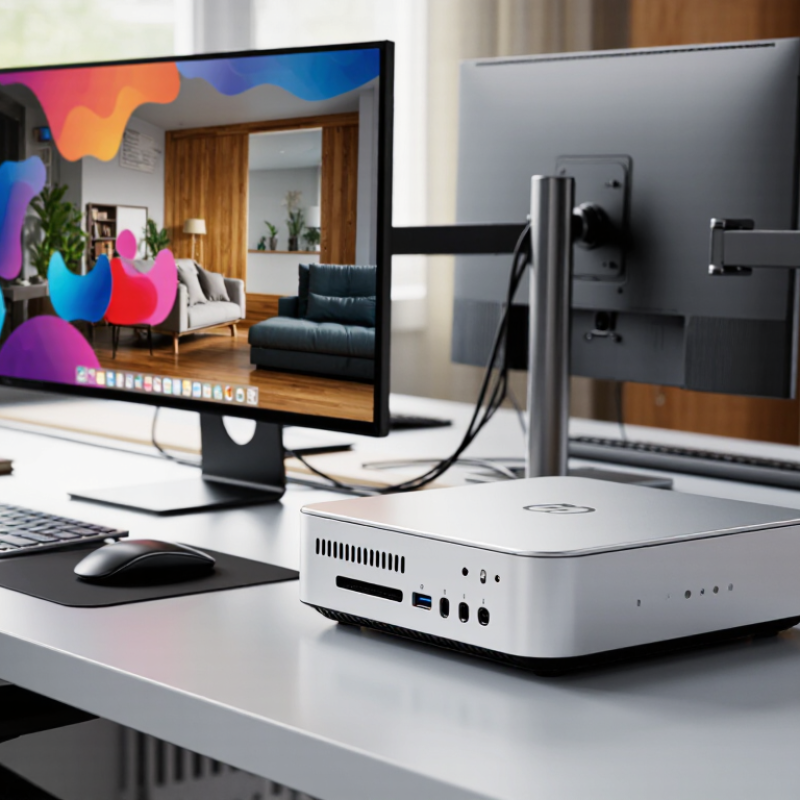
In 2026, a mini PC is best defined by its footprint and everyday usability, not by one official size limit. There is no universal industry standard separating a mini PC from a small desktop. A practical Mini Pc Computer should fit easily on a desk or behind a monitor, while still offering desktop-class ports, replaceable storage, and enough cooling for sustained tasks. Small does not automatically mean capable.
Market data helps explain why clear definitions matter. IDC reported 262.7 million traditional PC shipments worldwide in 2024, a 1.0% annual increase, in its Worldwide Quarterly Personal Computing Device Tracker. That figure covers the broader PC market, not mini PCs alone. Still, it shows the scale of a category where compact systems must compete on real workloads, not appearance. Check memory capacity, processor performance, and port selection against your daily use. A video call, several browser tabs, and a spreadsheet should not make the fan roar.
Look closely. Measure the case, including its power adapter and cables; a tiny chassis can still create desk clutter. Also check whether memory is upgradeable and whether ventilation stays clear beneath the case. I would not judge a machine by peak processor speed alone. Heat and noise can change the experience after an hour of work, and compact designs sometimes make upgrades awkward. That trade-off deserves more attention than glossy size claims.
What Defines a Mini PC in 2026?
There is no universal size standard for mini PCs. Compact designs commonly use small motherboard formats; the chart compares the standard board footprints, not complete computer dimensions.
Footprint is calculated from each board format’s published width × depth. A PC’s finished enclosure is larger and varies by design.
Which Specifications Matter Most When Choosing a Mini PC?
What Is the Best Mini PC Computer for 2026?
Which Specifications Matter Most When Choosing a Mini PC?
Start with the workload, not the processor label. For office documents, browser tabs, and video calls, a recent multi-core CPU and 16 GB of memory are practical targets. Choose 32 GB if you routinely edit large media files or keep demanding applications open together. Storage matters, too: a 512 GB solid-state drive leaves room for everyday files, while replaceable storage can extend the machine’s useful life. Small details count. Check the number and type of USB ports, display outputs, and wireless connections before buying.
Heat and power deserve equal attention in a compact case. Under sustained work, a tiny computer with weak cooling may slow down or become distracting. The U.S. Environmental Protection Agency’s ENERGY STAR computer guidance reports that certified computers are at least 25% more energy-efficient than conventional models. That figure is a useful comparison, though it does not guarantee quiet operation or low heat in every setup. IDC reported 262.7 million worldwide PC shipments in 2024; that broad market figure does not identify the best mini PC, but it reminds buyers that needs vary widely. I would not choose a small computer as a substitute for a Computer Server Rack without checking expansion, cooling, and service requirements. A little skepticism helps. Test the ports and noise in your actual workspace, if possible.
How Do Mini PCs Differ Across Everyday and Professional Uses?
A mini PC for everyday use should feel effortless, not merely small. For email, video calls, and several browser tabs, a recent energy-efficient processor, 16 GB of memory, and a quiet cooling system are often more useful than a high peak benchmark. Picture a computer tucked behind a monitor: if its fan becomes distracting during a call, the compact case stops feeling like an advantage. Check the number of display outputs, USB ports, and wireless connections before buying. Small cases can limit upgrades. That matters.
Professional work changes the trade-offs. Video editing, software builds, and data analysis may need more memory, faster storage, stronger sustained cooling, and room for specialized connections. An Industrial Pc Computer may also require a wider operating-temperature range, secure mounting, or round-the-clock operation; verify those specifications rather than assuming every mini PC is suitable. IDC’s Worldwide Edge Spending Guide forecast that global edge-computing spending would reach $378 billion in 2028, reflecting growing demand for processing near devices and operations. That forecast is not a mini-PC sales figure, but it helps explain why compact systems are appearing in professional settings. A short performance test can mislead: sustained workloads expose heat and noise limits. I would still question whether a smaller machine saves money if its memory or storage cannot be upgraded.
How Should Performance, Connectivity, and Upgradeability Be Compared?
Choosing a mini PC for 2026 means comparing more than processor names or peak benchmark scores. Match performance to the work you actually do. For office tasks, browser tabs, and video calls, responsive storage and enough memory may matter more than a top-tier chip. Editing large files or running local development tools calls for stronger sustained performance. Check reviews that measure performance after several minutes, not only during a brief burst. Heat changes the picture. A compact case can become warm and noisy under load, even when short tests look impressive.
Connectivity should fit your desk and daily routine. Count the ports you need, including USB-A, USB-C, display outputs, and wired Ethernet. Then check what each port supports; a USB-C connector may not provide charging or video. Small details matter. For two monitors, confirm the supported resolutions and refresh rates rather than relying on port count alone. Upgradeability deserves the same careful check. Look for accessible memory and storage slots, clear service instructions, and compatible replacement parts. Some systems have memory soldered to the board, which limits future changes. I would not assume every advertised upgrade is practical; cramped screws and awkward access can turn a simple swap into a frustrating job. Consider noise, power use, warranty terms, and the space available behind your monitor before deciding.
Which Mini PC Types Best Suit Work, Gaming, and Home Use?
For office work, choose a mini PC with a recent multi-core processor, 16 GB of memory, and room for two displays. It can handle spreadsheets, video calls, and dozens of browser tabs without taking over a desk. IDC reported 262.7 million PC shipments worldwide in 2024, up 1% year over year. That broad market figure does not measure mini PCs alone, but it shows steady demand for everyday computing. A Mini Pc I7 configuration may suit heavier editing or multitasking, though the processor label alone cannot guarantee speed; cooling and memory matter too.
Gaming needs more care. Small cases can limit cooling and graphics performance, so check real game tests, sustained temperatures, and upgrade options before buying. Integrated graphics work for lighter games and older titles; demanding games often need a dedicated graphics option. For home use, prioritize quiet operation, low idle power, wireless connectivity, and easy access to ports. A tiny machine beside the television is convenient, but fan noise can become irritating during a quiet film.
Tips: Match the PC to your actual workload, not its advertised peak speed. Check the power adapter, ventilation, and return policy. I’ve seen compact systems look capable on paper, then slow down during long workloads—a detail worth questioning before purchase.
How Can You Judge Price, Reliability, and Long-Term Value?
Price is only the entry fee. Compare mini PCs with similar processors, memory, storage, and warranty terms, not just similar-looking cases. IDC reported 262.7 million traditional PC shipments worldwide in 2024, up 1% from 2023. That market figure gives context, but it does not prove any model is dependable. Check the support period, repair options, and cost of replacing a power adapter or storage drive. Small details matter.
Tips: Measure idle and working power with a plug-in meter, then estimate yearly electricity cost using your local rate. Read the warranty exclusions before buying. A low price can look less appealing when repairs require replacing the whole unit.
For long-term value, favor accessible memory and storage, standard ports, and a cooling design that stays quiet during sustained work. Look for independent testing that reports temperatures, noise, and performance under load—not just brief benchmark peaks. Check whether firmware and security updates are promised, and for how long. One easy mistake is treating a long warranty as proof of reliability; it mainly limits some repair costs. I would also question any value calculation that assumes your workload will never change. A little extra capacity may help, but unused specifications can simply raise the purchase price.
Conclusion
A Mini Pc Computer in 2026 is a compact system designed to deliver useful computing power while taking up little space. The best choice depends on more than its size: processor capability, memory, storage, cooling, and energy use all affect how well it performs. Connectivity also matters, especially when you need to attach several displays, peripherals, or network devices. Considering these specifications together helps you judge whether a system is suited to everyday browsing and office tasks or more demanding professional work.
Different users should prioritize different features. A home setup may benefit from quiet operation and simple connections, while work-focused systems need dependable performance and room for future upgrades. Gaming requires careful attention to graphics capability and cooling. Before buying, compare the price with the system’s reliability, upgrade options, and expected lifespan. The strongest overall choice is not necessarily the most powerful or expensive one, but the Mini Pc Computer that fits your needs today and offers lasting value.